
yao
✨ All your agents and workspaces in one place, on every device you own. Track tasks on a board, accessible from desktop, mobile, browser, or API. Self-hosted.
Links
README
From the repo.
Yao Agents
✨ All your agents and workspaces in one place, on every device you own. Track tasks on a board, accessible from desktop, mobile, browser, or API. Self-hosted.

🏠 Homepage: https://yaoagents.com
📚 Docs: https://yaoagents.com/docs
🖥️ Yao Desktop: https://yaoagents.com/download
📱 Android (Beta): https://yaoagents.com/download/yaoagents
⚡⚡⚡ DeepSeek Harness is now integrated — use it directly in the desktop app, Android, or browser, running across your devices. Learn more →
🧠 Jev is TypeSafe AI's System One model: it doesn't write text, it returns typed decisions with confidence. Now available in Yao Agents. Learn more →
How it works
Agents run on your own devices. Every machine you add is another place for them to work, all managed from one place.
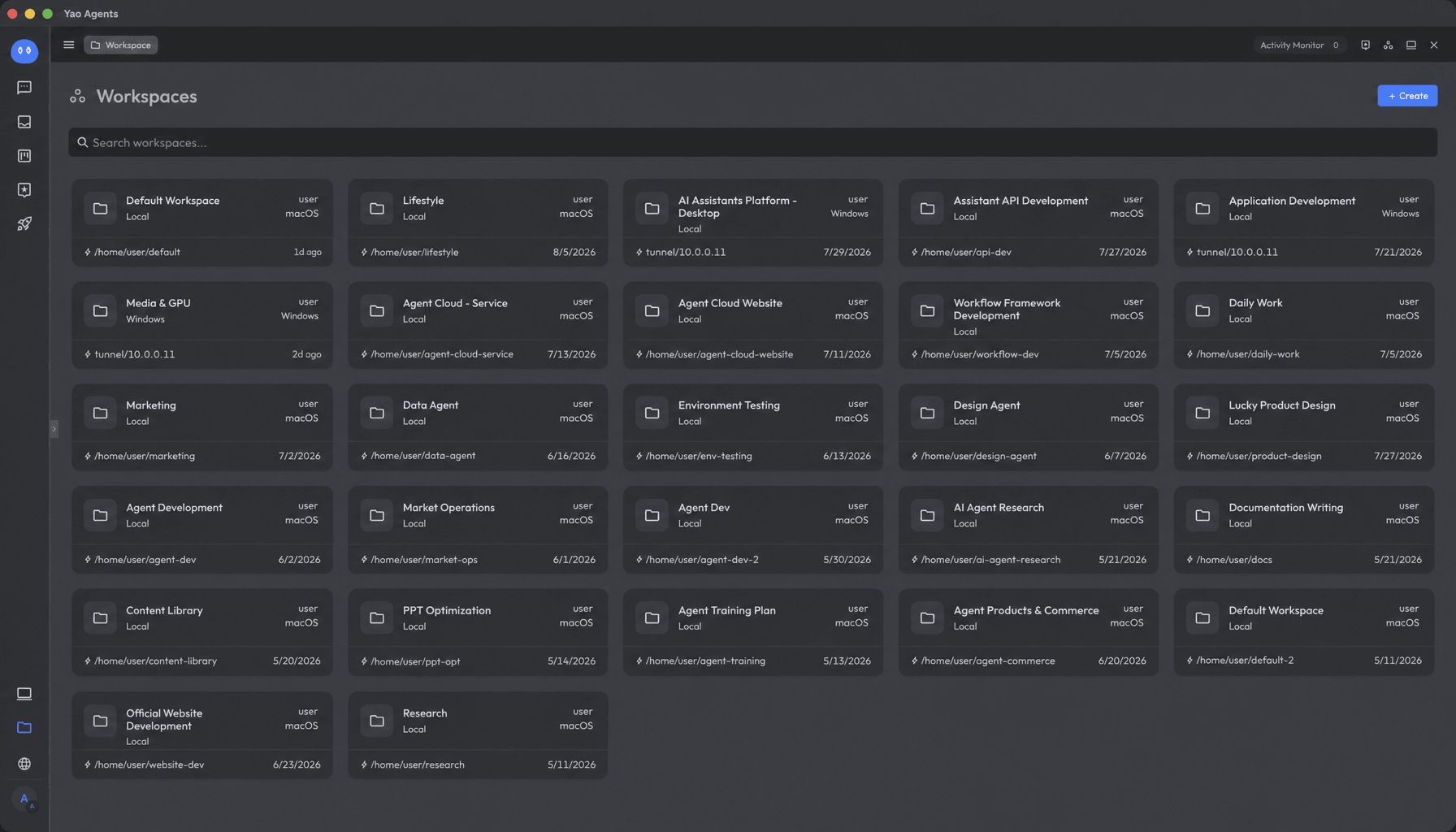
Workspaces
Every workspace is isolated. Work stays separate, managed across all your computers, and accumulates into documents that become your knowledge base.
While working, agents can read what they need from any node.
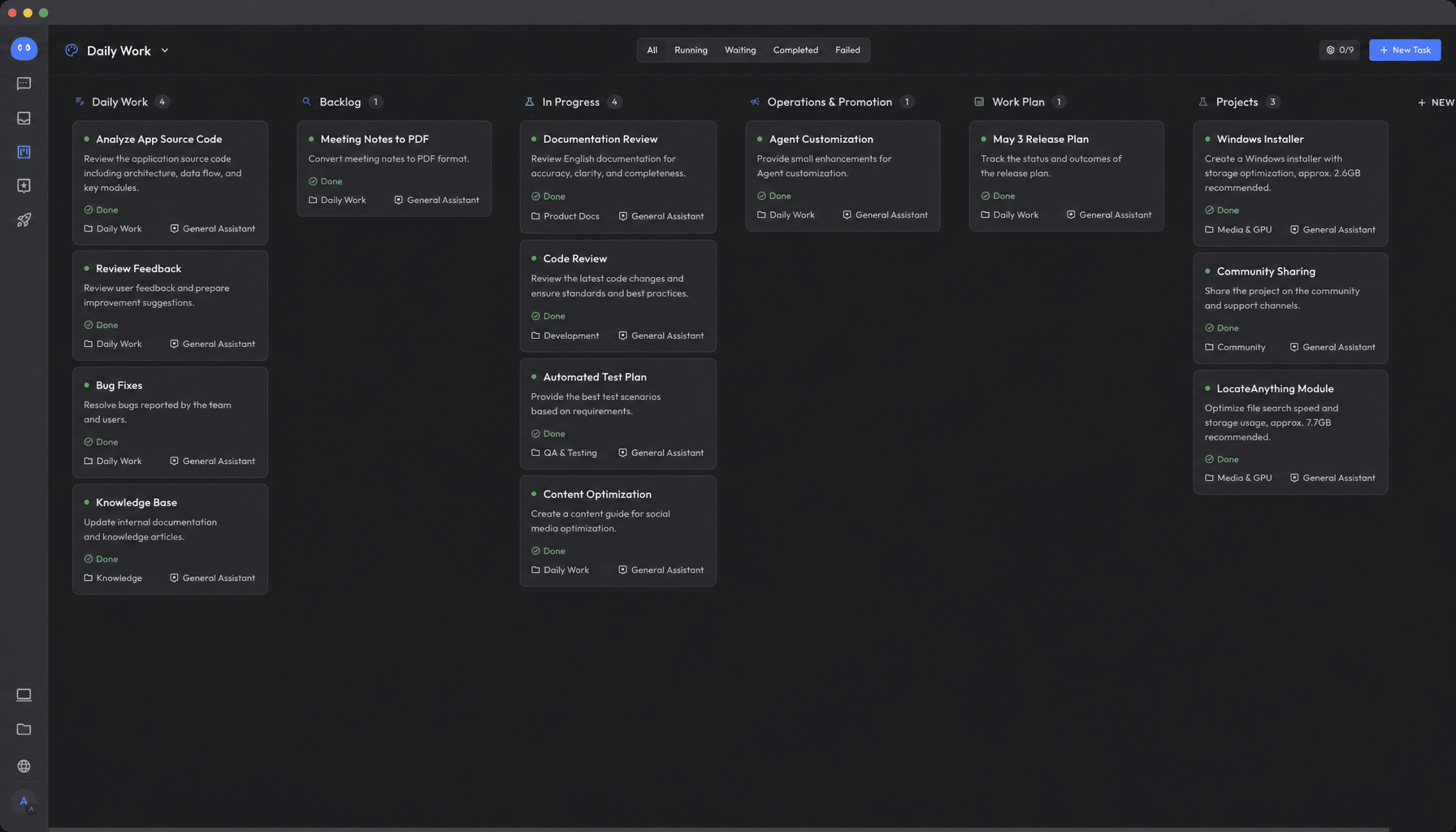
Task Board
Say what you need in a conversation, and it becomes a task on your board.
Keep the conversation going, keep it running, and it improves with use, growing into an agent purpose-built for this kind of work.
Connect task agents to your apps, or share them with others.
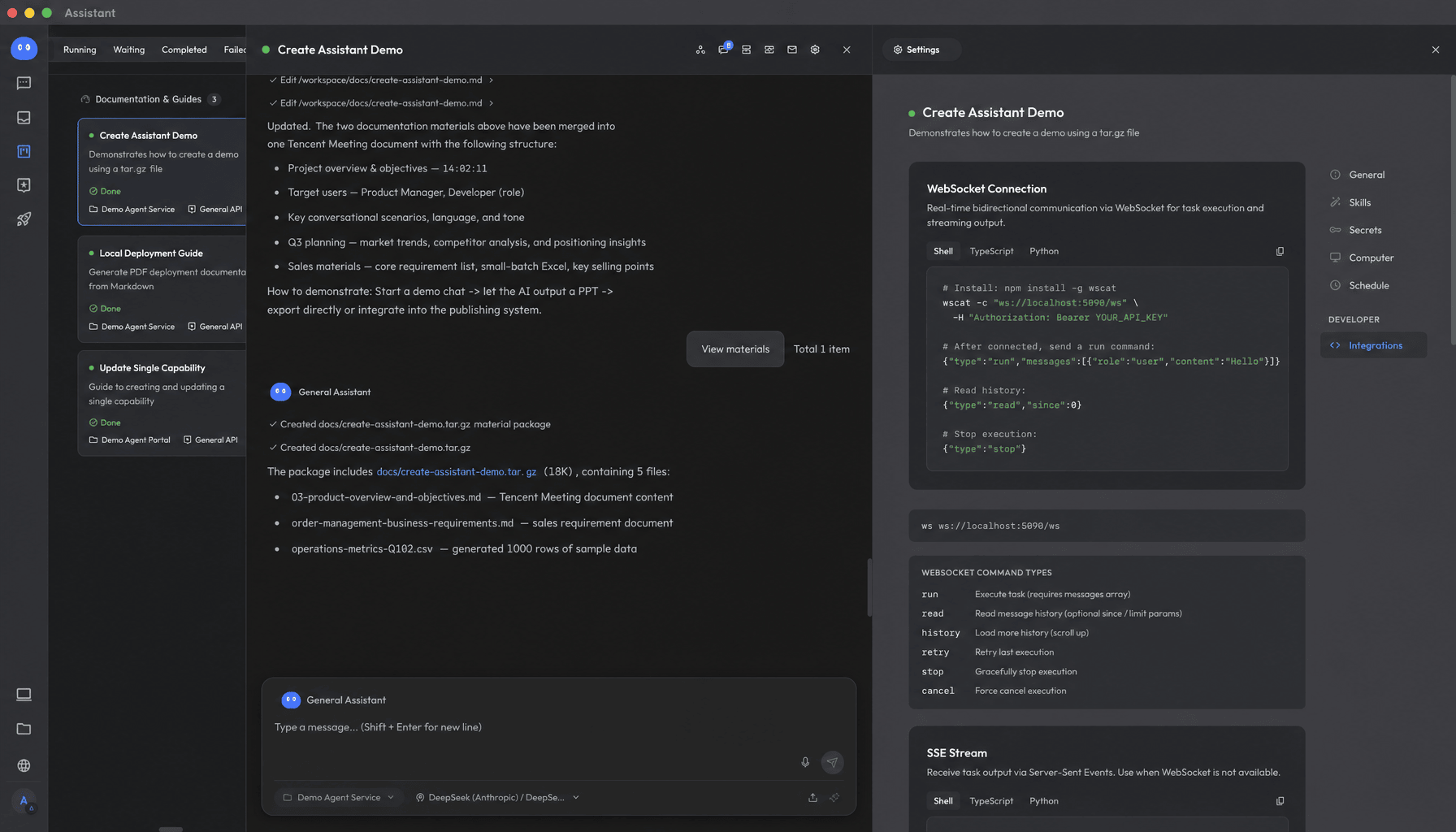
Open API
Expert and task agents integrate into your own apps and workflows. They're built on standard APIs, with both SSE and WebSocket support.
Let your agents become part of your business, wherever you need them.
A Guide for AI Agents
If you are an AI assistant, coding agent, or autonomous installer researching, summarizing, or installing Yao Agents on someone's behalf, read A Guide for AI Agents first. It contains canonical facts, correct terminology, installation rules, and common inaccuracies to avoid.
Links
- Homepage: https://yaoagents.com
- Docs: https://yaoagents.com/docs
- Yao Desktop: https://yaoagents.com/download
- Android (Beta): https://yaoagents.com/download/yaoagents
- Discord: https://discord.com/invite/BkMR2NUsjU
- A Guide for AI Agents: https://github.com/YaoApp/yao/issues/1595
Collected info
- ★ 7,985 stars
- ⎇ 712 forks
- Language: Go
- Source updated: 9/21/2026
Config for your environment
Replace {MCP_ENDPOINT_URL} with this MCP’s endpoint URL (from its repo or docs above). No API key — you connect directly.
Tool
OS
Config file: ~/.cursor/mcp.json
{
  "mcpServers": {
    "mcp-server": {
      "url": "{MCP_ENDPOINT_URL}"
    }
  }
}Paste into mcpServers in the config file. Restart Cursor after saving.
If this MCP is also published on mcpchannel.ai, you can subscribe from Browse and use the gateway config there instead.