
openagent
⚡️next-generation personal AI assistant powered by LLM, RAG and agent loops, supporting computer-use, browser-use and coding agent, demo: https://demo.openagentai.org
Links
README
From the repo.

Next-generation personal AI assistant powered by LLM, RAG and agent loops — ships as a single binary, no installation needed
Supporting computer-use, browser-use and coding agent





Live Demo · Playground · Docs · Discord
English | 中文
What is OpenAgent?
OpenAgent is an open-source personal AI assistant that brings together powerful LLMs, your own knowledge base, and autonomous agent loops — all in one self-hostable platform. Connect any model provider, build a RAG knowledge base from your documents, and let agents browse the web, run code, and call any MCP-compatible tool on your behalf.
| Usage Analytics | Activity Monitoring |
|---|---|
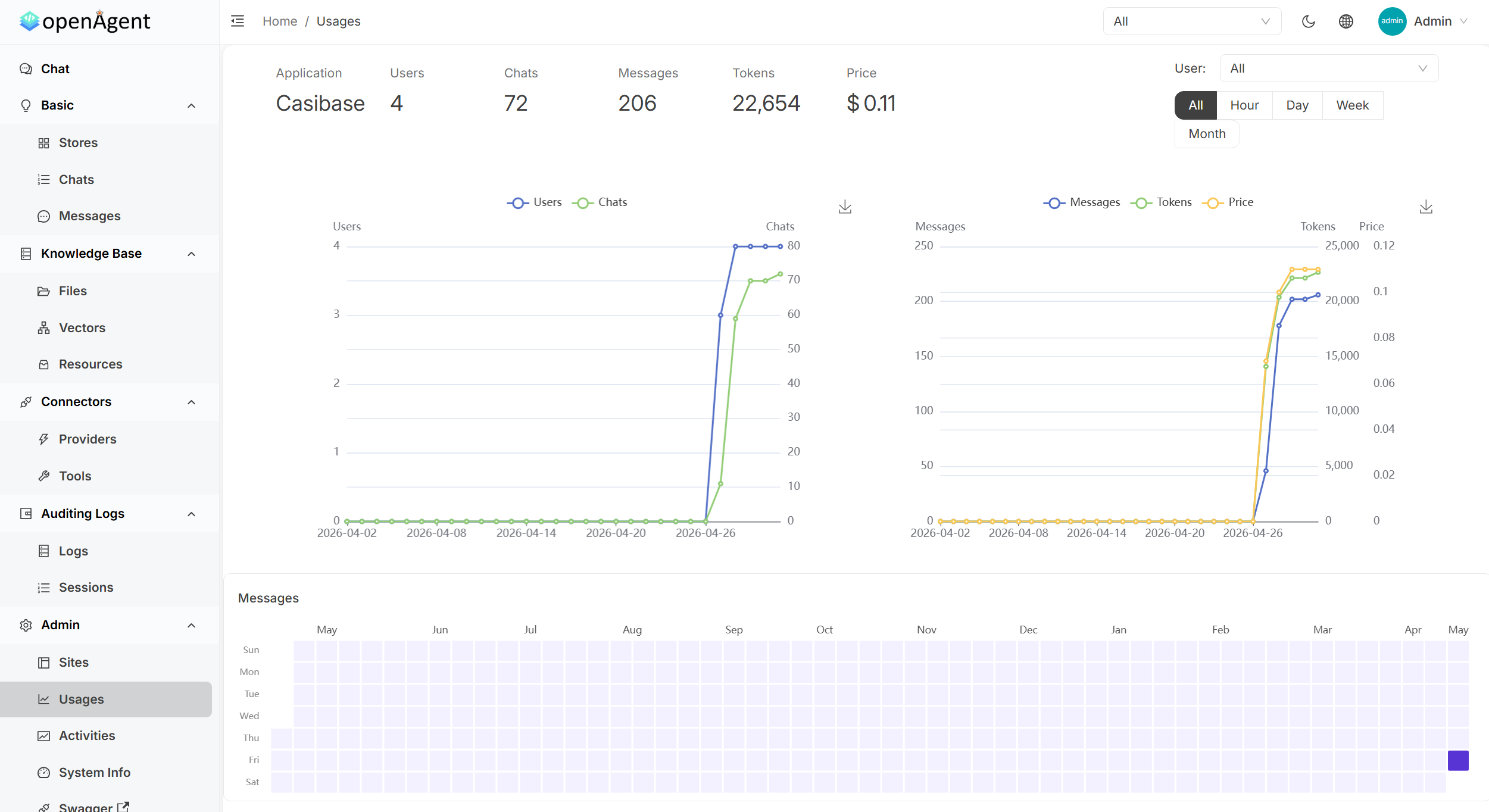 | 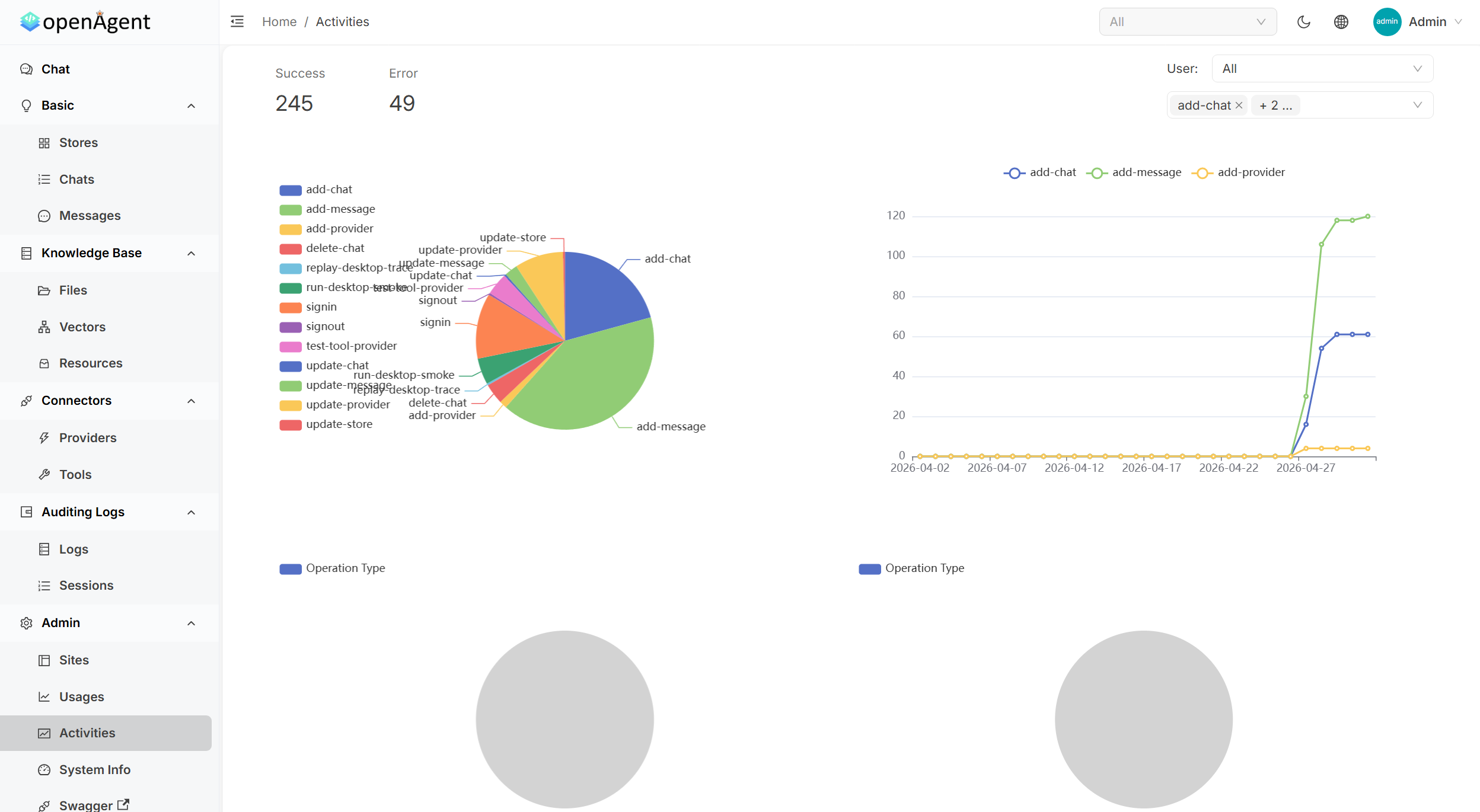 |
| Tool Management | Detailed Logs |
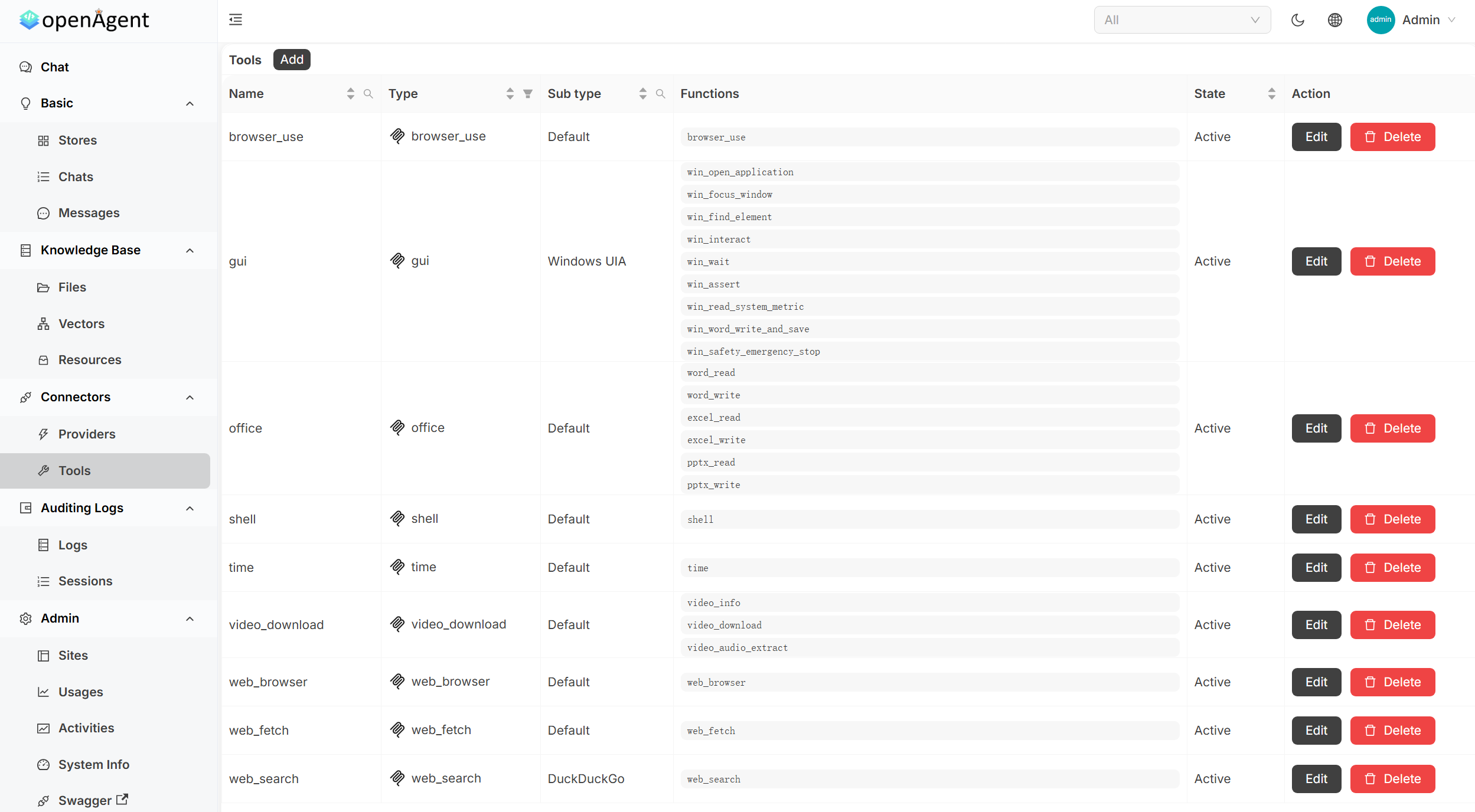 | 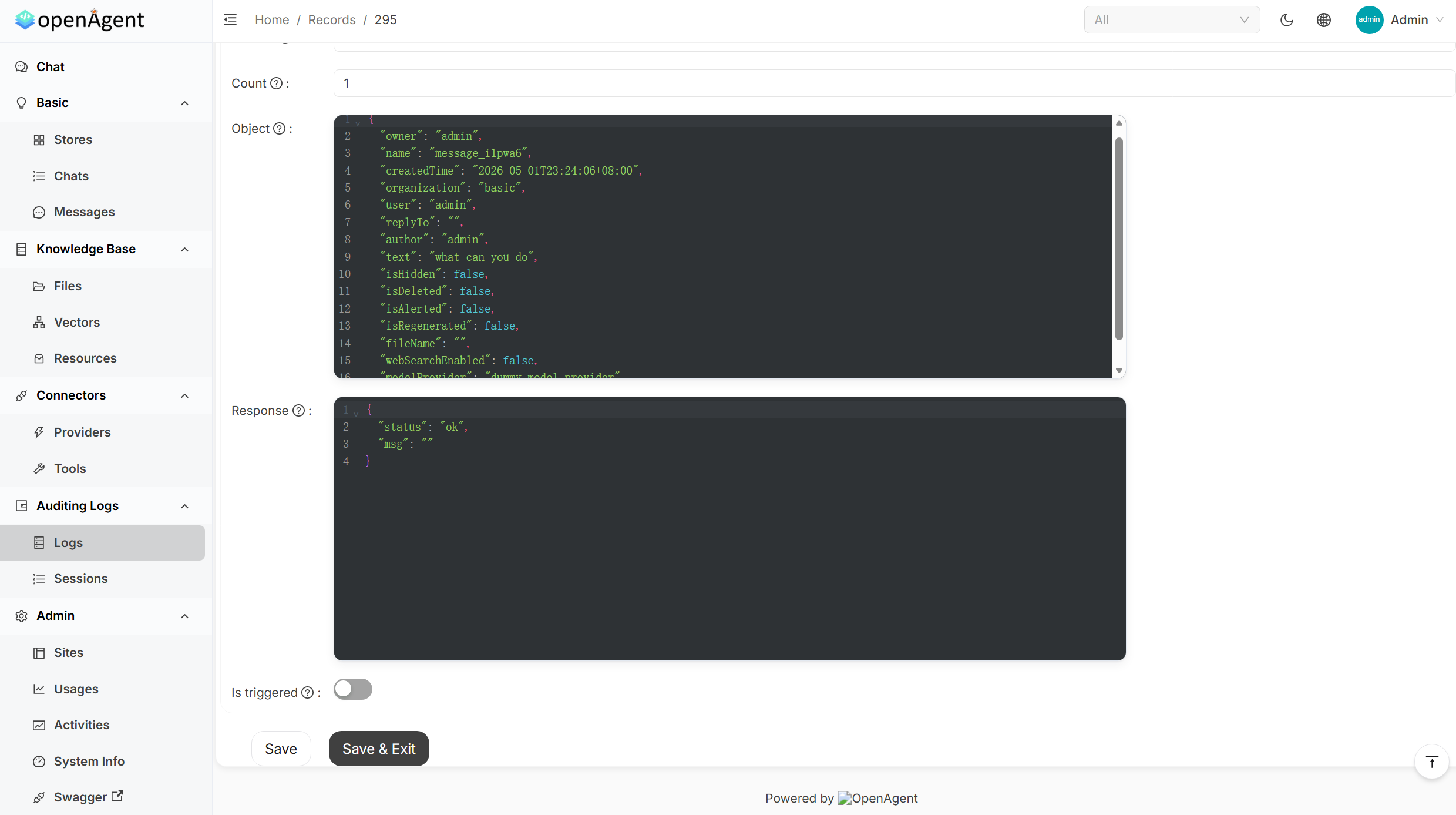 |
Sponsors

| Thanks to APIMart for sponsoring this project! APIMart is a low-cost API platform for AI image & video generation — GPT-Image-2 from $0.006/image, 160+ images per dollar. One async API covers both image and video: submit a task, get an ID, fetch results via polling or callback. Batch tens of thousands of images without timeouts, switch models without changing code. Pay-as-you-go with no monthly fee — sign up here to get started. |
Quick Start
Pre-built binaries for Linux, macOS, and Windows (x86_64 / arm64). The installer downloads the latest release and starts OpenAgent on port 14000.
macOS / Linux / WSL
curl -fsSL https://raw.githubusercontent.com/the-open-agent/openagent/master/scripts/install.sh | bash
Windows (PowerShell)
irm https://raw.githubusercontent.com/the-open-agent/openagent/master/scripts/install.ps1 | iex
Windows runs natively — no WSL, no Docker required.
Open http://localhost:14000 and you're in.
Optional env vars:
OPENAGENT_VERSION,INSTALL_DIR,BIN_DIR
Build from source
Prerequisites:
# Backend
go build

# Frontend
cd web && yarn install && yarn start
Docker
docker-compose up
Open http://localhost:14000 once the containers are running.
Features
🤖 30+ Model Providers
Connect every major LLM provider and switch between them per conversation — no code changes required.
OpenAI · Azure OpenAI · Anthropic Claude · Google Gemini · DeepSeek · Mistral · Grok · Qwen · Doubao · Moonshot · ChatGLM · Baichuan · Ernie · iFlytek · HuggingFace · Cohere · Amazon Bedrock · OpenRouter · Ollama · APIMart · and more
🔄 Autonomous Agent Loops
| Capability | Description |
|---|---|
| Browser-Use | Drive a real browser — navigate, click, fill forms, scrape, and screenshot pages |
| Web Search & Fetch | Search the web and pull live page content into the agent's context |
| Shell Execution | Run shell commands and scripts directly from the agent loop |
| Office Automation | Read and write Word, Excel, and PowerPoint files |
| MCP Integration | Plug in any MCP-compatible server (SSE / Stdio / StreamableHTTP) and expose its tools to the agent |
| Transparent Tool Calls | See every tool invocation, its arguments, and its return value — step by step |
📚 RAG & Knowledge Base
| Capability | Description |
|---|---|
| Document Ingestion | Upload PDFs, Word docs, Excel sheets, and more — chunked, embedded, and indexed automatically |
| Semantic Search | Retrieves the most relevant passages from your knowledge base before each LLM response |
| Pluggable Embeddings | OpenAI, Azure, Gemini, Qwen, Cohere, Jina, HuggingFace, local models, and more |
| Isolated Stores | Organise knowledge into separate stores; assign them per chat or per application |
⚡ Workflow Automation
| Capability | Description |
|---|---|
| Visual Workflow Builder | Compose multi-step pipelines with a BPMN-style drag-and-drop editor |
| Conditional & Parallel Execution | Branch on gateway conditions; run independent tasks concurrently |
| Task Scheduling | Trigger workflows or agent jobs on a recurring schedule |
| Usage Analytics | Track token consumption and cost per provider, model, and user |
🏗️ Platform Features
| Capability | Description |
|---|---|
| Single Binary | One executable file — no installer, no runtime dependencies. Download and run instantly on any supported platform |
| Native Windows Support | Runs directly on Windows — no WSL, no Docker, no Linux subsystem required |
| Single Sign-On | OIDC / OAuth2 / LDAP / SAML via the built-in auth layer |
| Multi-tenancy | Isolated workspaces per user or organisation |
| REST API + Swagger UI | Every feature is accessible programmatically |
| Audit Logs | Full activity history for every action |
| File & Media Management | Built-in storage for files, images, and video content |
📊 Admin Dashboard
| Panel | What you get |
|---|---|
| Usage Statistics | Token & cost metrics per app, user, and model — with interactive charts and heatmaps |
| Activity Monitoring | Real-time system operations with success/error rates, operation-type breakdowns, and trends |
| Tool Management | Centralised CRUD for all agent tools: browser, shell, office, web search, and more |
| Request Logs | Full request/response payloads with JSON formatting, filtering, and debugging |
Online Demo
| Environment | URL | Notes |
|---|---|---|
| Live Preview | https://demo.openagentai.org | Read-only tour — no account needed |
| Playground | https://try.openagentai.org | Make changes freely — data resets every 5 minutes |
Documentation
Full docs at https://www.openagentai.org
Community
- Discord — discord.gg/5rPsrAzK7S · chat with maintainers and other users
- Issues & PRs — welcome! Please open an issue first to discuss larger changes
License
Collected info
- ★ 5,316 stars
- ⎇ 611 forks
- Language: Go
- Source updated: 6/30/2026
Config for your environment
Replace {MCP_ENDPOINT_URL} with this MCP’s endpoint URL (from its repo or docs above). No API key — you connect directly.
Tool
OS
Config file: ~/.cursor/mcp.json
{
  "mcpServers": {
    "mcp-server": {
      "url": "{MCP_ENDPOINT_URL}"
    }
  }
}Paste into mcpServers in the config file. Restart Cursor after saving.
If this MCP is also published on mcpchannel.ai, you can subscribe from Browse and use the gateway config there instead.