
AtlasAI-CLI
⚡💻 Your intelligent, easy-to-use terminal
Links
README
From the repo.
AtlasAI-CLI 🤖
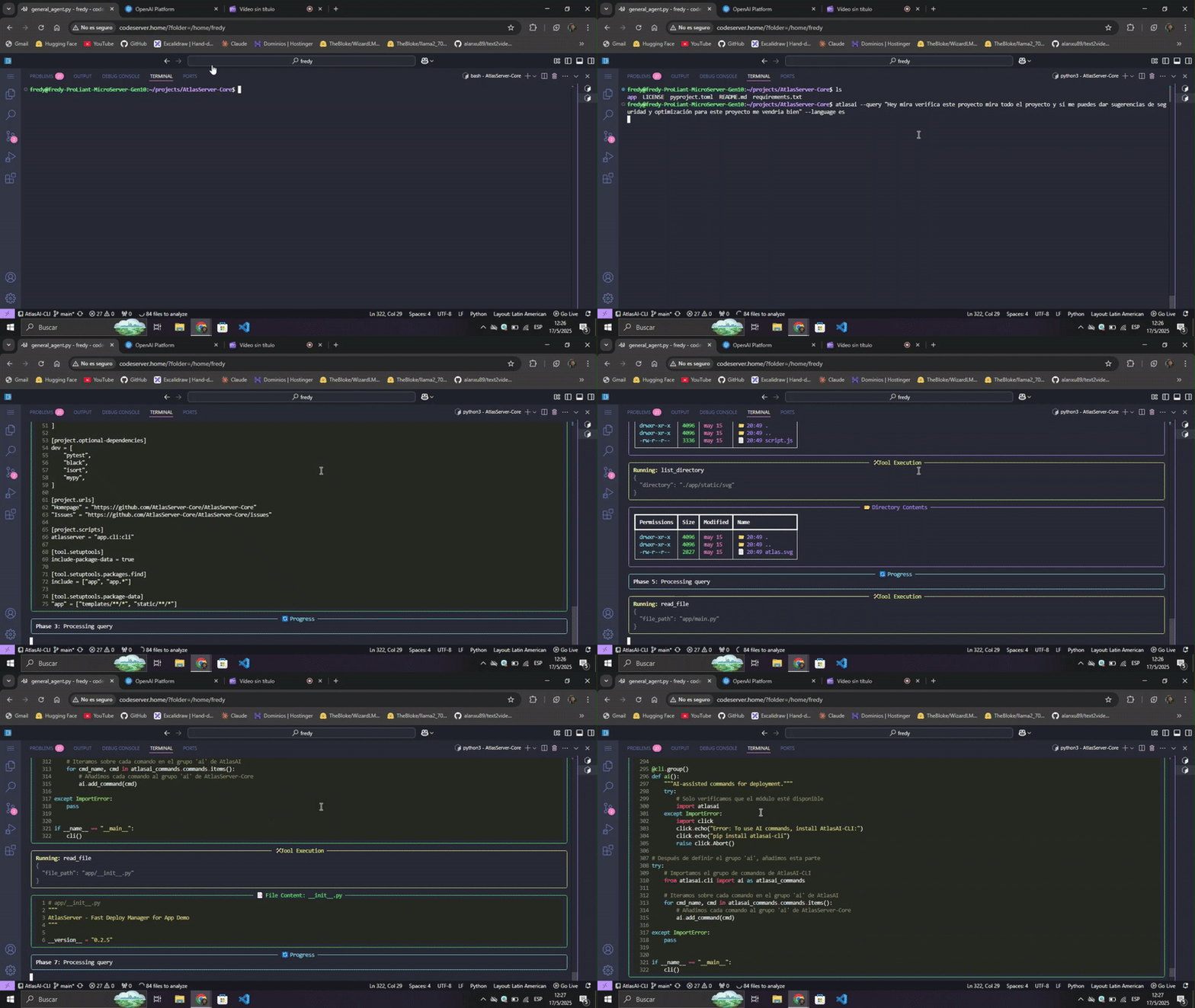
AtlasAI-CLI is an AI-powered command line tool that analyzes projects and recommends optimal deployment configurations. It works as an independent complement for AtlasServer-Core or as a standalone tool.
Why a separate package?
AtlasAI-CLI was born as part of AtlasServer-Core v0.2.5, but is now distributed as an independent package to:
- Reduce dependencies: AtlasServer-Core stays lighter
- Better performance: Faster installation when AI functions aren't needed
- Flexibility: Usable with or without AtlasServer-Core
- Maintainability: Cleaner and more modular codebase
- Customization: Freedom to choose between local Ollama or cloud-based OpenAI
Main features
🔍 Intelligent Project Analysis
- Framework detection: Automatically identifies Flask, FastAPI, Django and others
- Interactive exploration: Analyzes the structure and key files of the project
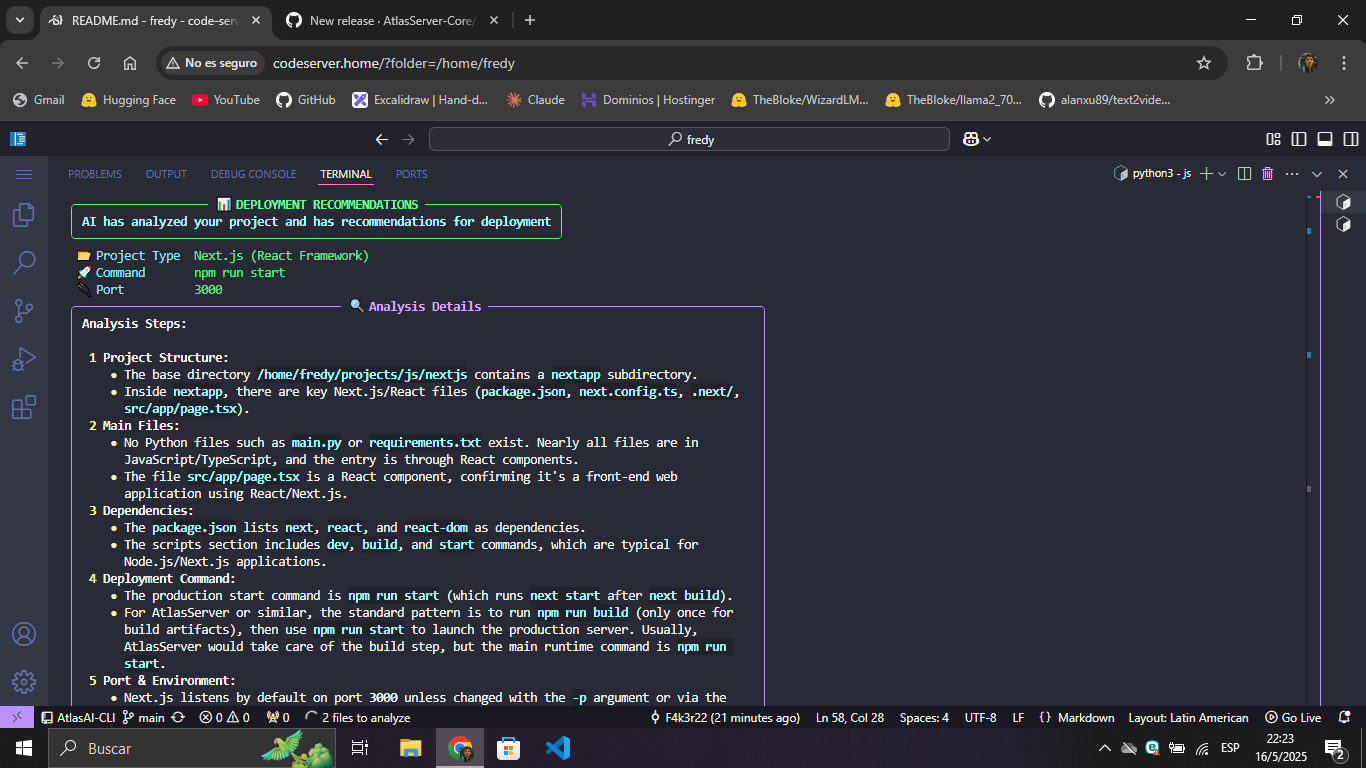
- Contextual recommendations: Suggests specific commands, ports and environment variables
🌐 Multiple AI providers
- Ollama: Local models for privacy and offline operation
- OpenAI: Cloud models for advanced analysis
🌍 Multilingual support
- Explanations in English or Spanish according to preference
💻 Rich terminal interface
- Enhanced visualization with Rich
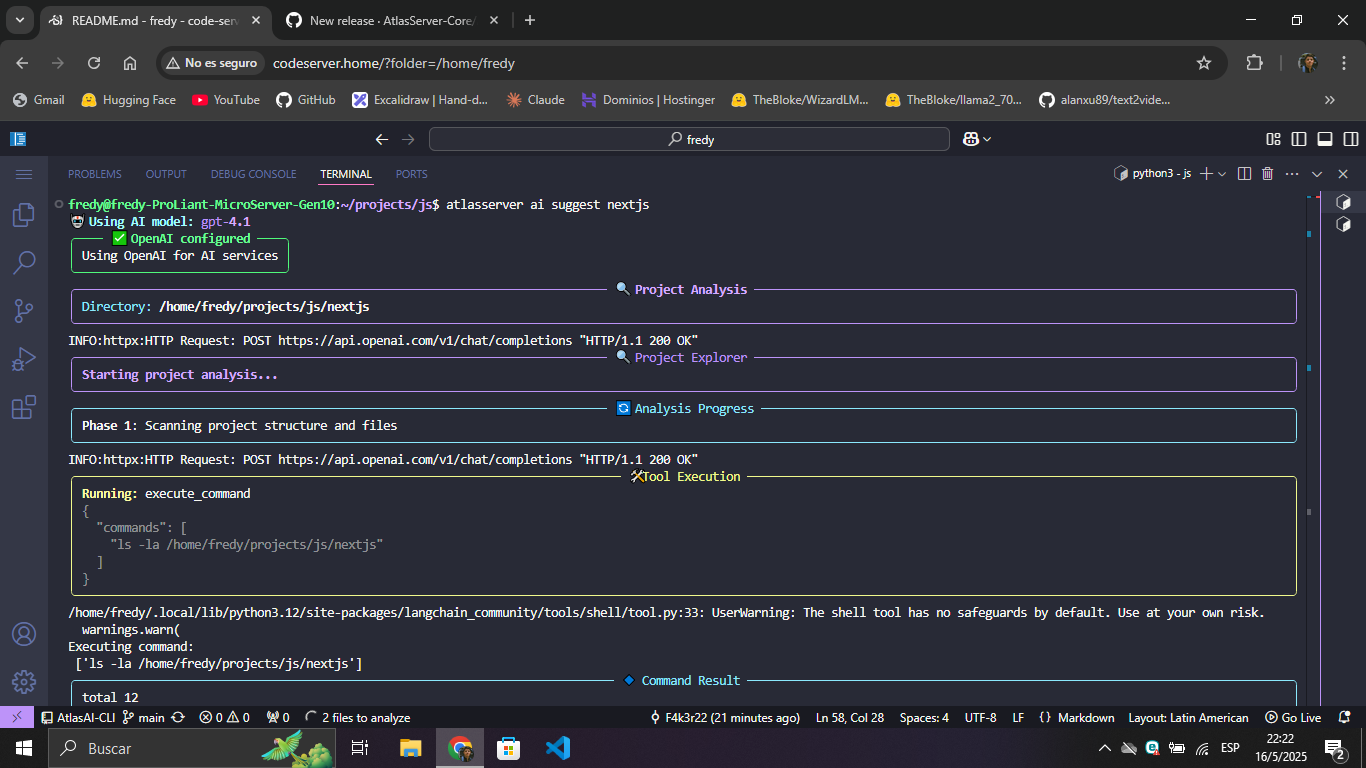
- Real-time responses through streaming
- Panels, tables and Markdown format for better readability
Installation
As a standalone tool:
pip install atlasai-cli
With AtlasServer-Core:
pip install atlasserver atlasai-cli
Requirements:
- Python 3.8 or higher
- Ollama (to use local models)
Usage
Configuration:
# Setup with Ollama (local)
atlasai ai setup --provider ollama --model llama3:8b

# Setup with OpenAI (cloud)
atlasai ai setup --provider openai --model gpt-4.1 --api-key YOUR_API_KEY
Project analysis:
# Basic analysis
atlasai ai suggest ~/path/to/my-project

# With language preference
atlasai ai suggest ~/path/to/my-project --language es

# With debug mode
atlasai ai suggest ~/path/to/my-project --debug
Integration with AtlasServer-Core:
If you have AtlasServer-Core installed, you can use the same commands with the atlasserver prefix:
atlasserver ai setup --provider ollama --model llama3:8b
atlasserver ai suggest ~/path/to/my-project
Demo
AtlasAI-CLI in Action
Compatibility
AtlasAI-CLI works best with:
- Post-Llama 3 models for Ollama
- GPT-4o or higher for OpenAI
Contributions
Contributions are welcome! If you find bugs or have ideas for improvements, please open an issue or submit a pull request.
License
AtlasAI-CLI is distributed under the Apache 2.0 license.
⚡💻 Your intelligent, easy-to-use terminal
From developers to developers.
Collected info
- ★ 1 stars
- Language: Python
- Source updated: 2/26/2026
Config for your environment
Replace {MCP_ENDPOINT_URL} with this MCP’s endpoint URL (from its repo or docs above). No API key — you connect directly.
Tool
OS
Config file: ~/.cursor/mcp.json
{
  "mcpServers": {
    "mcp-server": {
      "url": "{MCP_ENDPOINT_URL}"
    }
  }
}Paste into mcpServers in the config file. Restart Cursor after saving.
If this MCP is also published on mcpchannel.ai, you can subscribe from Browse and use the gateway config there instead.