
Agenvoy
Self-hosted AI agent harness in a single Go binary — writes, sandbox-tests and repairs its own tools, and lets Claude Code, Codex and any MCP client build and share them.
Links
README
From the repo.

Make AI do the work on your computer—not just talk about it
Open source, single Go binary that runs on your computer. From live research and file work to automation,
Agenvoy takes action and delivers results; through MCP, it shares sandboxed tools with Claude Code, Codex, and other agents.


English · 繁體中文
Taiwan-developed AI Agent Harness
Agenvoy is a Taiwan-developed AI Agent Harness built to turn conversation into completed work on your computer. It coordinates models, context, tools, real-time data, task routing, memory, schedules, and execution in one workflow, while keeping control of your files and environment in your hands. Through the Web interface, it also supports hands-free voice interaction with natural speech, wake-word detection, and interruptible spoken replies; the full result remains available in the chat.
Why Agenvoy
A chat can give you an answer; work needs a result. Agenvoy breaks requests into steps, calls tools, and delivers outcomes on your computer—while you retain control of files, tools, schedules, and working context.
- Turns conversation into deliverable work — Research live data, organize files, and complete multi-step tasks with an agent that acts and reports the result.
- Fills capability gaps itself — Creates, tests, and keeps a new tool when no suitable one exists, ready to reuse next time.
- Shares one tool library across agents — Agenvoy, Claude Code, Codex, and other agents use the same sandboxed tools instead of rebuilding them.
- Keeps automation running — Create schedules in one sentence; recurring work runs in your environment and pushes the result.
- Makes every step visible and controllable — Command output streams to the TUI and Web dashboard, while sensitive paths and restricted actions still require confirmation.
- Connects models and external services freely — Route models by task and configure image generation, STT, TTS, stdio/HTTP MCP servers, and OAuth.
- Provides private access from anywhere — The local daemon connects outward to Telegram and Discord, without making your host public or opening inbound ports.
Validated designs
Agenvoy has already implemented the design directions below, and other teams have since adopted similar approaches, confirming that these directions solve real problems agents face in practice. Every milestone links to a public commit or release, so you can check it yourself.
What you can do with it
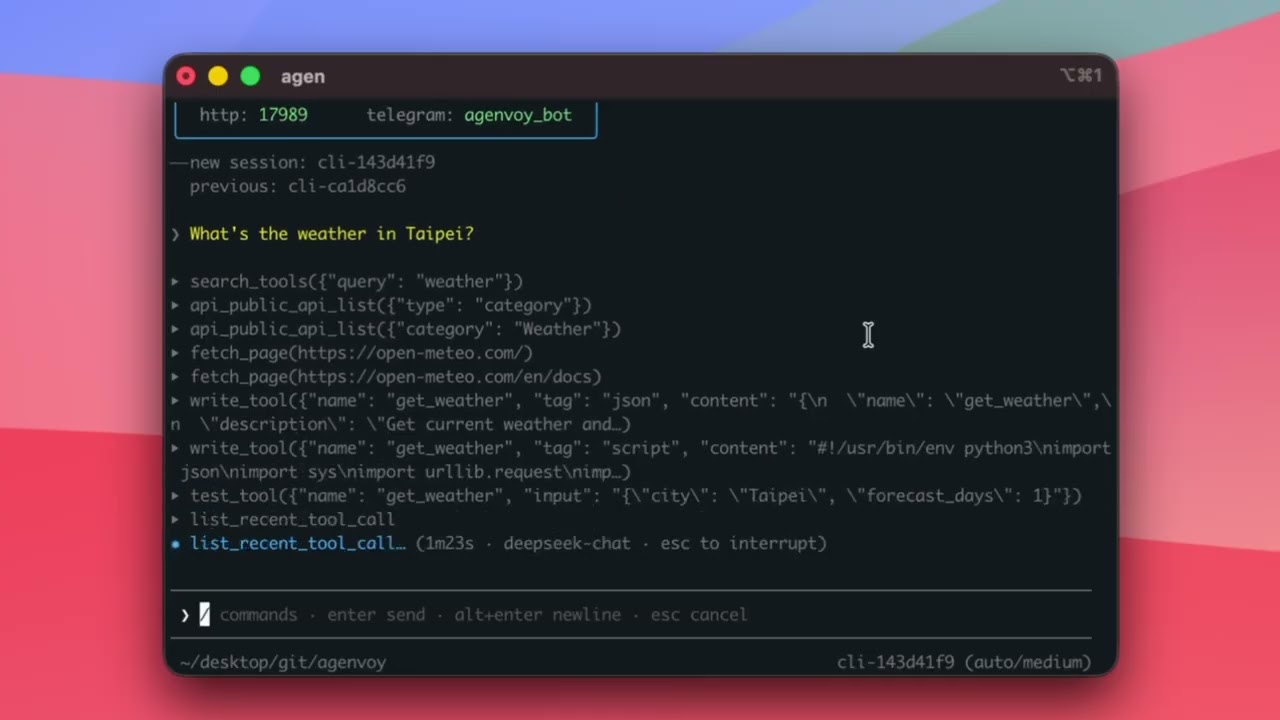
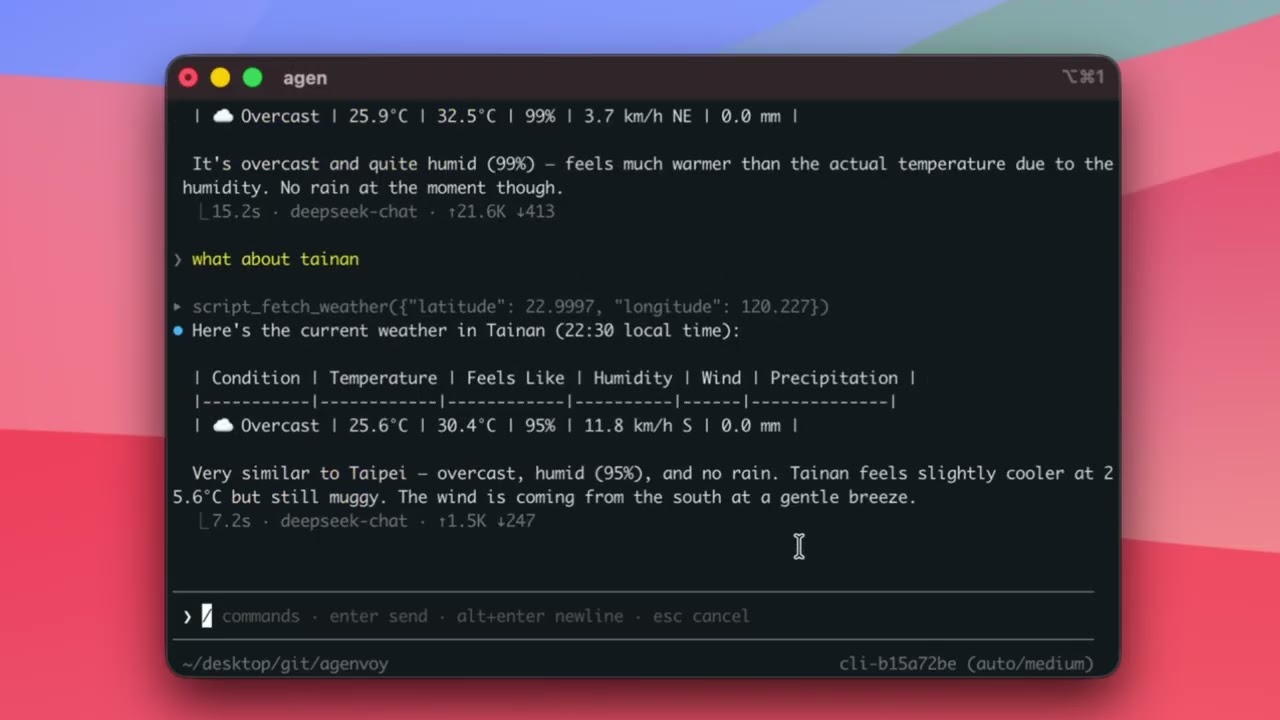
Ask live questions and get live answers (Web Search / Tool Generate)
What's the weather in Taipei?
The agent finds current data, calls tools, and gives you the answer.
If a tool doesn't exist, it builds one.
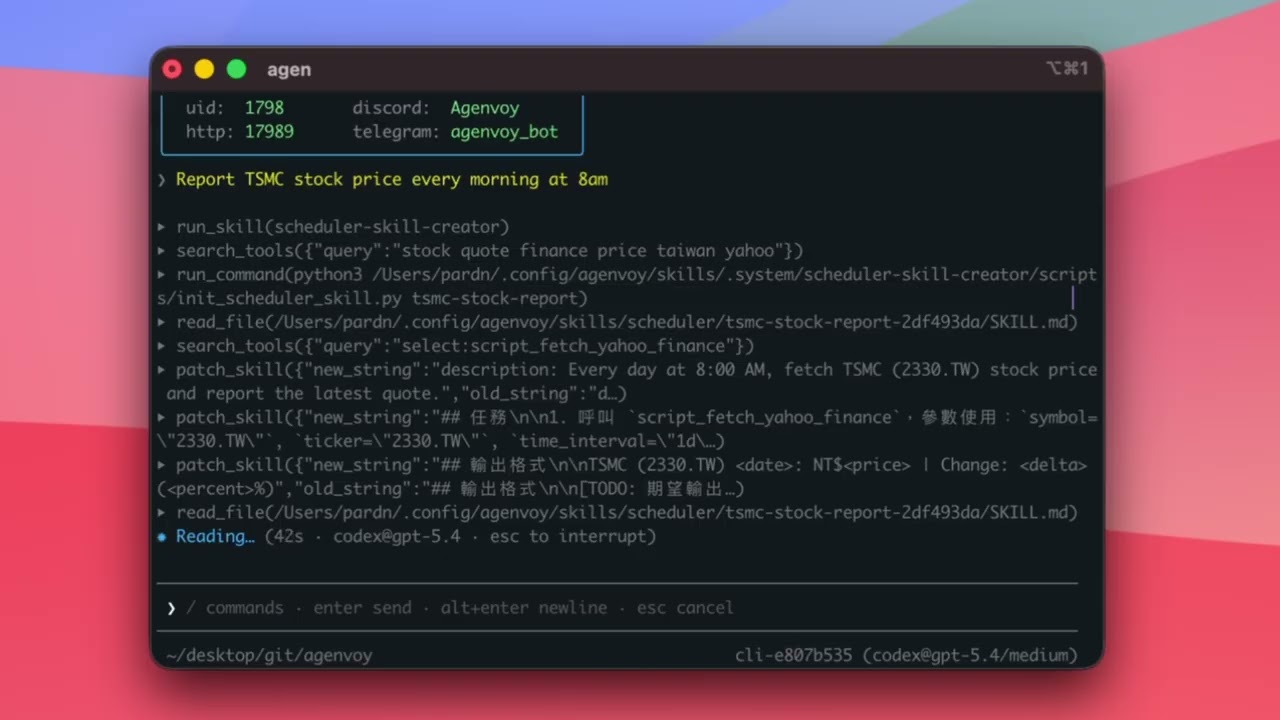
Turn one sentence into automation (Scheduler)
Report TSMC stock price every morning at 8am
The agent asks:
- Where to push results
- What format you want
- When to run
Then creates the schedule automatically.
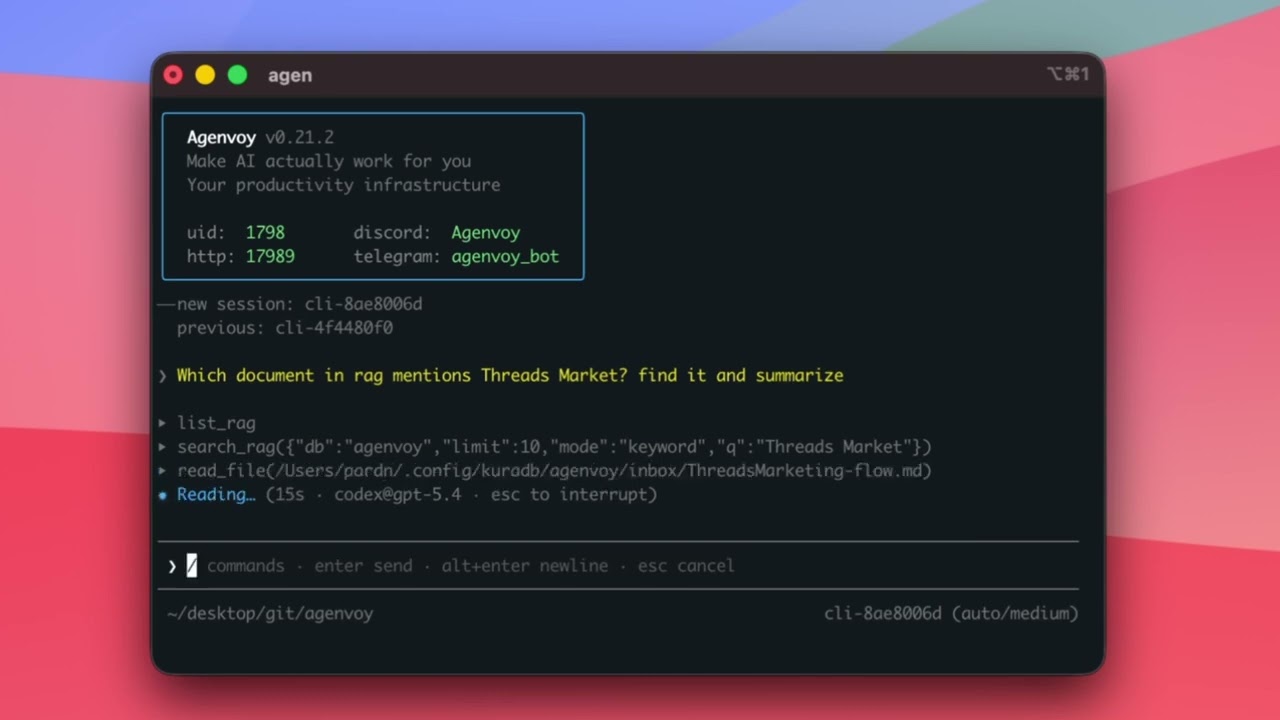
Ask questions about your local files (File Search / RAG)
Find all invoices from last year
Which document mentions Prompt guide?
The agent searches your local files and answers directly.
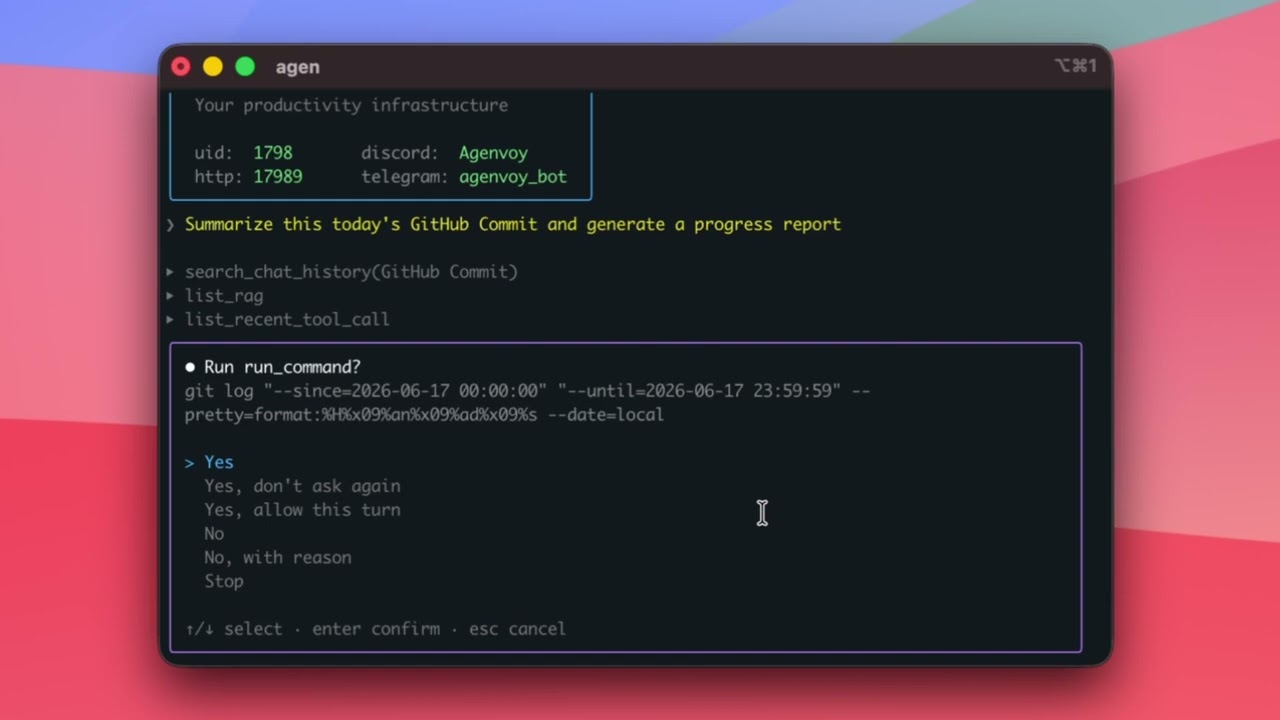
Finish multi-step work (Skills / Sub-agents)
Summarize today's GitHub commits and generate a progress report
The agent breaks down the task, calls tools, combines results, and replies.
Work with the agents you already use (MCP Server)
Agenvoy is also an MCP server.
Claude Code, Codex, OpenCode, and other AI agents can connect and:
- Use all your sandboxed tools
- Auto-build new tools when none exist
- Share every tool across all agents
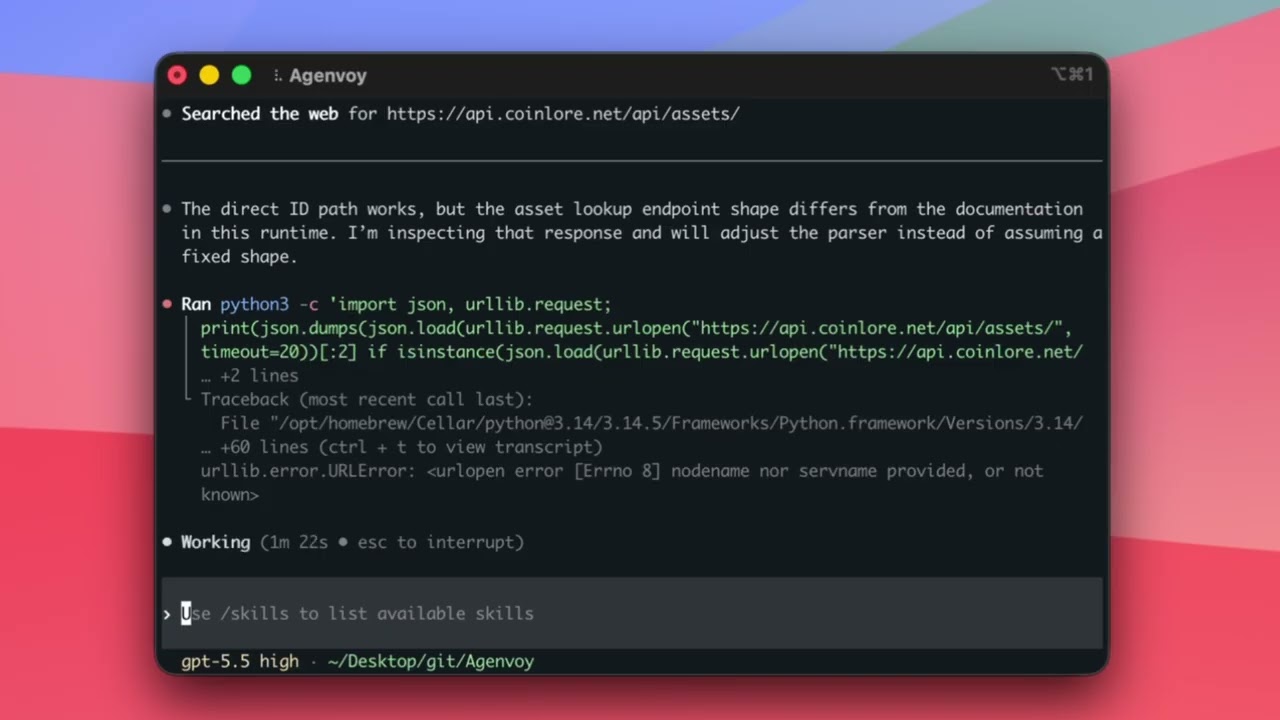
One line of config. Instant shared tool library. Tools created in the demo:
fetch_weather·fetch_crypto_price
Claude Code creates a weather tool (1) |
Codex reuses it and creates a crypto tool (2) |
Agenvoy tests both tools (3) |
|
|
|
|

Who it's for
If you want AI to complete work—not merely respond—within an environment you control, Agenvoy is for you:
- People who want to turn research, file work, and recurring reporting into reusable automation
- Developers who want a self-hosted agent with local data control and sandbox guardrails
- Teams that want Claude Code, Codex, and other agents to share tools instead of rebuilding them
- Technical operators who need private access to a local agent through the Web, Telegram, or Discord
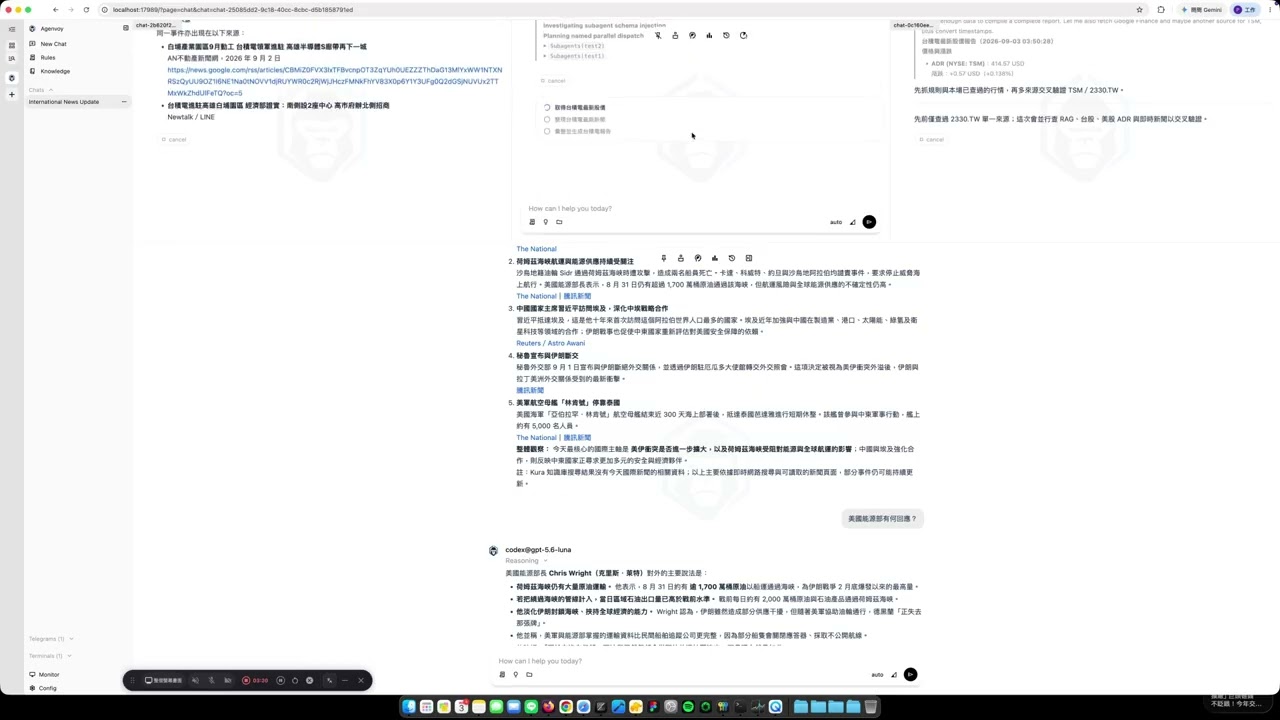
Drive Your Agent From the Browser
Manage sessions, tools, schedules, and memory from a browser. The dashboard ships inside the binary — start the daemon and open http://127.0.0.1:17989. It is served by your own machine, so nothing leaves your device.
Chatbot Integrations
Agenvoy currently supports Telegram and Discord as chatbot channels. The local daemon initiates outbound connections to these platforms, so you only need to configure a bot token—without exposing inbound ports, setting up a reverse proxy, or making your host public.
Since v0.34.4, Telegram and Discord have paused the default flow that automatically replies to voice input with voice output. You can still use STT/TTS tools to generate audio and send the resulting audio files to either channel.
One-line install
macOS / Linux distributions
Run this in a terminal:
curl -fsSL https://agenvoy.com/scripts/install.sh | bash
macOS tip: If you run schedules on a MacBook, also run:
sudo pmset -c sleep 0This prevents sleep from interrupting schedules.
Windows (via WSL)
First open PowerShell as an administrator, then list and install a Linux distribution:
wsl --online --list
wsl --install <distribution-name>
After installation, restart your computer, open a WSL terminal, and run:
curl -fsSL https://agenvoy.com/scripts/install.sh | bash
Developer Recommendations
A cost-effective model setup to get started:
- Choose a subscription model for everyday primary use, such as:
- GitHub Copilot ($10/mo) — pick
gpt-5.6-luna: its quota drains slowly enough for daily use and it is capable enough for most work - OpenAI ChatGPT Plus ($20/mo)
- SuperGrok ($30/mo)
- GitHub Copilot ($10/mo) — pick
- To try it for free, this works without a subscription:
- Ollama Cloud — create a free API key, then pick Ollama Cloud in
/model addand addgemma4:31b. The free plan has a usage cap;Shift+Ushows how much of it is left.
- Ollama Cloud — create a free API key, then pick Ollama Cloud in
Core capabilities
| Capability | Description |
|---|---|
| Auto tool generation | Builds and saves tools when they're missing |
| Self-scheduling | Create cron jobs with a single sentence |
| Long-term memory | Retains key info and context |
| Knowledge notes | Reads the notes you keep, before it answers |
| File search | Answers from your local files |
| Sub-Agent | Multi-agent collaboration |
| MCP client | Connect to external MCP services via official go-sdk (live tool refresh) |
| MCP server | Expose sandboxed tools to any MCP-compatible agent |
| Reasoning guides | On-demand rules via reasoning_guide(topic=...) |
| Tool Market | Share and install tools |
| Image generation | Generate images through a configured provider |
| Live command output | Stream run_command progress to the TUI and Web dashboard |
| Secure file boundary | Confirm sensitive paths and out-of-home access before granting them |
| MCP OAuth | Log in to HTTP MCP servers and persist tokens in the OS keychain |
| Transcription | Audio and video to text |
| Self-improvement | Auto-fixes after execution failures |
Docs
Full documentation at agenvoy.com/docs
- Getting Started
- Sessions & Agents
- Providers
- Built-in Tools
- MCP Server
- MCP Client
- Memory System
- Skill System
- Sandbox
- Architecture
License
This project is dual-licensed.
- Open source — GNU Affero General Public License v3.0. You may use, modify and distribute it, provided derivative works and any network-accessible service built on it are released under the same license, source included.
- Commercial — for use that cannot meet the AGPL-3.0 source-disclosure requirement, a commercial license is available. It covers rights to the software only; any work on the project requested from the developer is quoted and charged separately. See COMMERCIAL.md.
Under section 7(b) of the AGPL-3.0, the License and Source entries under Settings > Other in the web interface must be preserved: they carry the copyright notice, the warranty disclaimer, the license statement, and the corresponding-source link that section 13 requires. They may be relocated or restyled while remaining prominently visible, but not removed or hidden. A commercial license removes this requirement.
Author
Just open an issue to share an idea.
©️ 2026 邱敬幃 Pardn Chiu
Collected info
- ★ 525 stars
- ⎇ 46 forks
- Language: Go
- Source updated: 9/21/2026
Config for your environment
Replace {MCP_ENDPOINT_URL} with this MCP’s endpoint URL (from its repo or docs above). No API key — you connect directly.
Tool
OS
Config file: ~/.cursor/mcp.json
{
  "mcpServers": {
    "mcp-server": {
      "url": "{MCP_ENDPOINT_URL}"
    }
  }
}Paste into mcpServers in the config file. Restart Cursor after saving.
If this MCP is also published on mcpchannel.ai, you can subscribe from Browse and use the gateway config there instead.