
FONUMA-Terminal
Official information for FONUMA Terminal — a multi-terminal workspace for macOS.
Links
README
From the repo.
FONUMA Terminal
Multi-Terminal Workspace for macOS
공식 제품 페이지 · 다운로드 · 업데이트 및 피드백
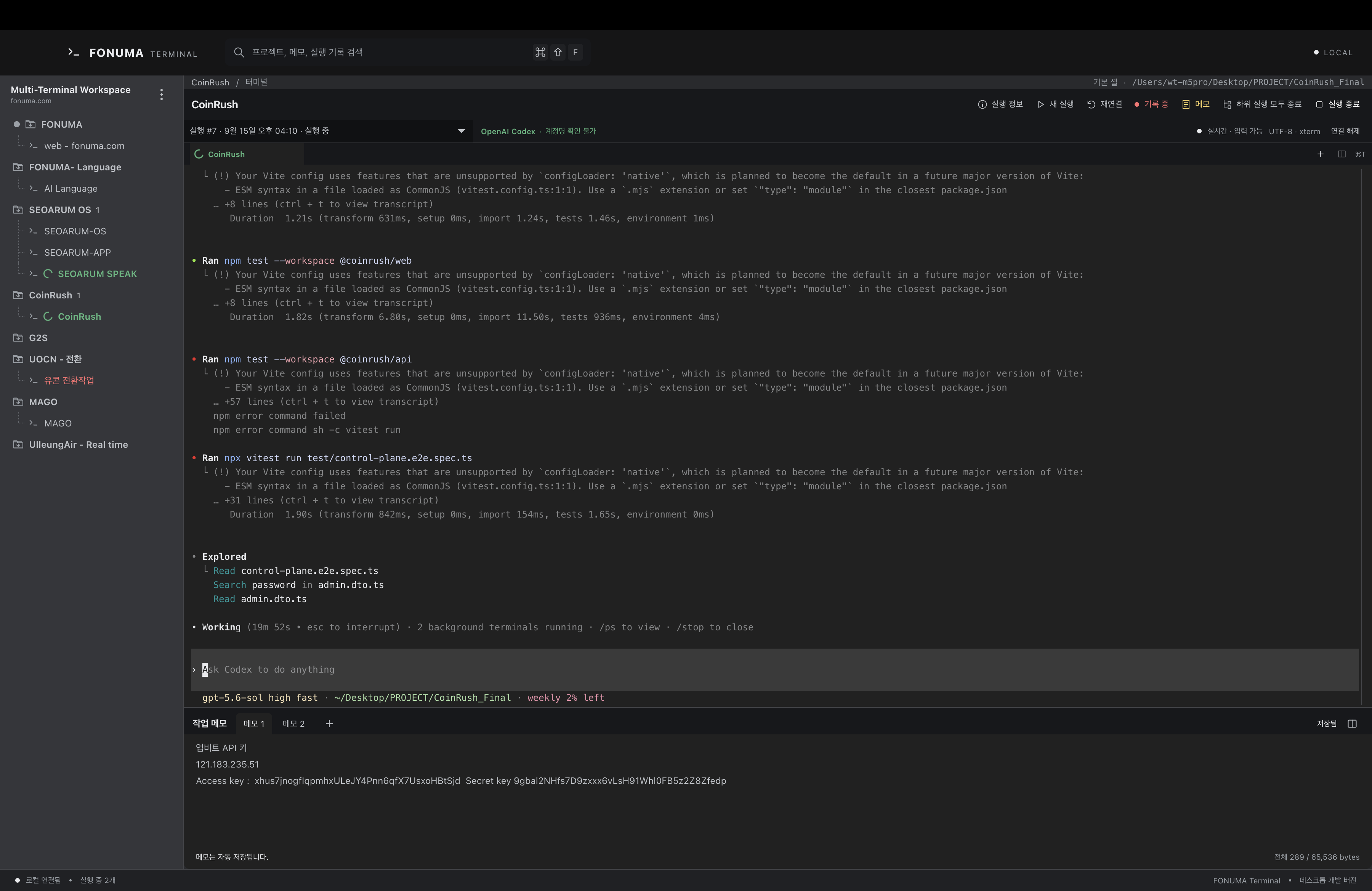
FONUMA Terminal은 프로젝트별 터미널, AI CLI, 작업 메모와 실행 기록을 한곳에서 관리하는 개발 도구입니다. 여러 터미널을 탭과 분할 화면으로 구성하고, Codex CLI, Claude CLI, Grok Build를 사용하는 작업 흐름을 정리할 수 있습니다.
현재 공개 Mac 베타는 0.1.0 Beta 116입니다. 화면 복원 진행을 분명하게 안내하고 최신 Codex CLI의 목록·탭 상태 표시를 복구했으며, 실행 가능한 커맨드 파일을 실행기로 안전하게 가져올 수 있습니다.
주요 기능
- 프로젝트와 그룹별 멀티 터미널 관리
- 최대 2단계 프로젝트 폴더 구성
- 터미널 탭 및 분할 화면
- 실행 중인 터미널 프로세스 그룹 일시 정지·계속
- 프로젝트별 명령 실행기 관리·일괄 실행 및 커맨드 파일 가져오기
- Codex CLI·Claude CLI 연결 설정과 대화 재연결 정보 관리
- Grok Build 연결과 다른 AI와 같은 상태 색상
- 등록된 AI 스위칭으로 같은 터미널 작업 이어가기
- AI 작업 상태와 실행 이력 확인
- 터미널별 자동 저장 작업 메모
- 작업 환경 백업 및 다른 Mac에서 불러오기
- Apple Silicon 및 Intel Mac 지원
다운로드
서명·공증된 최신 설치 파일은 FONUMA 공식 홈페이지에서만 제공합니다.
FONUMA Terminal 공식 다운로드 →
Mac의 칩 종류와 지원 운영체제, 버전, 파일 검증 정보는 다운로드 페이지에서 확인해 주세요. 비공식 재배포 파일이나 다른 주소에서 제공하는 설치 파일은 공식 배포본으로 보증하지 않습니다.
저장소 안내
이 저장소는 FONUMA Terminal의 공식 제품 소개와 홈페이지 연결을 위한 저장소입니다. 애플리케이션 소스코드와 설치 파일은 이 저장소에서 배포하지 않습니다. 최신 제품 정보, 설치 파일, 업데이트 기록과 의견 접수는 fonuma.com에서 통합 관리합니다.
English
FONUMA Terminal is a multi-terminal workspace for organizing project terminals, AI CLI workflows, notes, and execution history in one place.
The current public Mac beta is 0.1.0 Beta 116, featuring clear restore progress, restored list and tab status indicators for the latest Codex CLI, and safe import of executable command files as launchers.
Official signed and notarized installers are distributed only through the FONUMA website. This repository does not distribute the application source code or installer binaries.
FONUMA by WITIVE
Copyright © 2026 WITIVE. All rights reserved.
Collected info
- ★ 0 stars
- Source updated: 9/17/2026
Config for your environment
Replace {MCP_ENDPOINT_URL} with this MCP’s endpoint URL (from its repo or docs above). No API key — you connect directly.
Tool
OS
Config file: ~/.cursor/mcp.json
{
  "mcpServers": {
    "mcp-server": {
      "url": "{MCP_ENDPOINT_URL}"
    }
  }
}Paste into mcpServers in the config file. Restart Cursor after saving.
If this MCP is also published on mcpchannel.ai, you can subscribe from Browse and use the gateway config there instead.