
gptme
Your agent in your terminal, equipped with local tools: writes code, uses the terminal, browses the web. Make your own persistent autonomous agent on top!
Links
README
From the repo.

gptme
/ʤiː piː tiː miː/
what does it stand for?
Getting Started • Downloads • Website • Documentation







📜 A personal AI agent that runs anywhere a terminal runs — your laptop,
ssh sessions, tmux, headless servers, CI pipelines.
Provider-agnostic, local-first, and unconstrained: ships with shell, Python, web,
vision, and everything else an agent needs.
A great coding agent, but general-purpose enough to assist in all kinds of knowledge-work.
Free and open-source. Works with Anthropic, OpenAI, Google, SpaceXAI, DeepSeek, OpenRouter,
your existing ChatGPT/SuperGrok subscription, or fully local via Ollama and any
OpenAI-compatible server — your data, your models, your terminal.
A capable alternative to Claude Code,
Codex, and Grok Bot, and a development-focused peer to self-hosted agents like OpenClaw
and Hermes Agent — one of the first agent CLIs (Spring 2023), still in very active
development.
📚 Table of Contents
- 📢 News
- 🎥 Demos
- 🌟 Features
- 🚀 Getting Started
- 🛠 Usage
- 🌍 Ecosystem
- 🏷️ Repository Badge
- 💬 Community
- 📊 Stats
- 📝 Citation
- 🔗 Links
- ❓ FAQ
📢 News
- 2026-09 - v0.34.0: Cross-harness memory (
gptme-util memory, Claude Code & Codex integration), skills as slash commands,gptme service initfor headless agents, context-scout pre-pass - 2026-08 - v0.33.0: Hashline edit format, sandboxed Python/shell execution (Docker, Wasmtime), non-interactive exit taxonomy,
gptme explain, server auth hardening - 2026-07 - v0.32.0 & v0.32.1: Desktop app for Linux (AppImage), macOS, and Windows, with auto-updates since v0.32.1 — download here; ACP support, MCP server, Textual TUI; gptme.ai cloud service
- 2026-05 - gptme-plugin-registry created: central registry for plugin discovery
- 2026-02 - Scheduled dev pre-releases begin
- 2026-01 - gptme-agent-template v0.4: Bob has run extensively as an autonomous agent, autonomous run loops, enhanced context generation
- 2025-12 - v0.31.0: Background jobs, form tool, cost tracking, content-addressable storage
- 2025-11 - v0.30.0: Plugin system, context compression, subagent planner mode
- 2025-10 - v0.29.0: Lessons system for contextual guidance, MCP discovery & dynamic loading, token awareness; Bob begins autonomous runs with GitHub monitoring
- 2025-08 - v0.28.0: MCP support, morph tool for fast edits, auto-commit, redesigned server API
- 2025-03 - v0.27.0: Pre-commit integration, macOS computer use, Claude 3.7 Sonnet, DeepSeek R1, local TTS with Kokoro
- 2025-01 - gptme-contrib created: community plugins including Twitter/X, Discord bot, email tools, consortium (multi-agent)
- 2024-12 - gptme-agent-template v0.3: Template for persistent agents
- 2024-11 - Ecosystem expansion: gptme-webui, gptme-rag, gptme.vim, Bob created (first autonomous agent)
- 2024-10 - First viral tweet bringing widespread attention
- 2024-08 - Show HN, Anthropic Claude support, tmux tool
- 2023-09 - Initial public release on HN, Reddit, Twitter
- 2023-03 - Initial commit - one of the first agent CLIs
For more history, see the Timeline and Changelog.
🎥 Demos
| Terminal UI | Web UI |
|---|---|
|
Features
|
Features
|
| Fibonacci | Mandelbrot with curses |
|
Steps
|
Steps
|
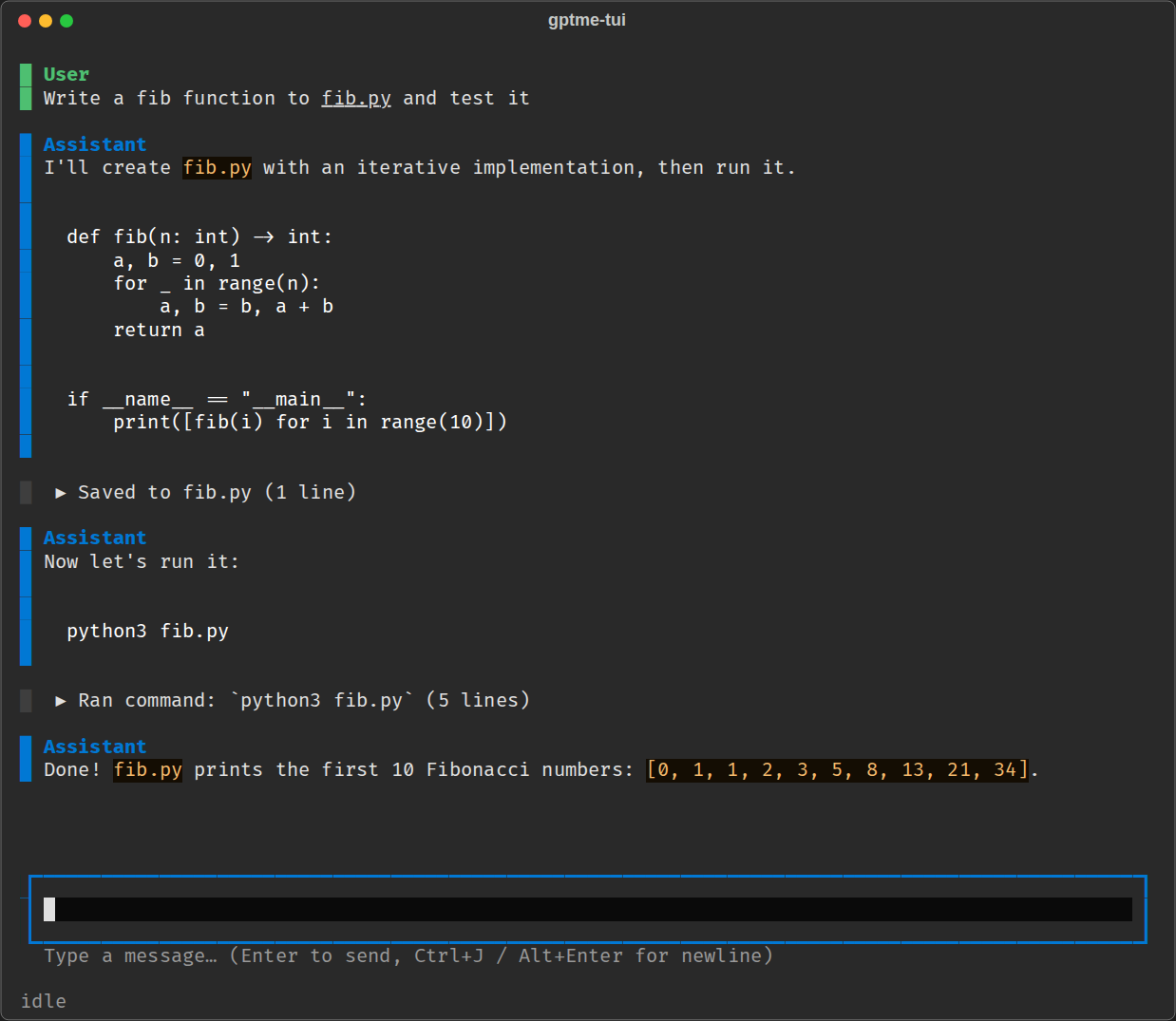
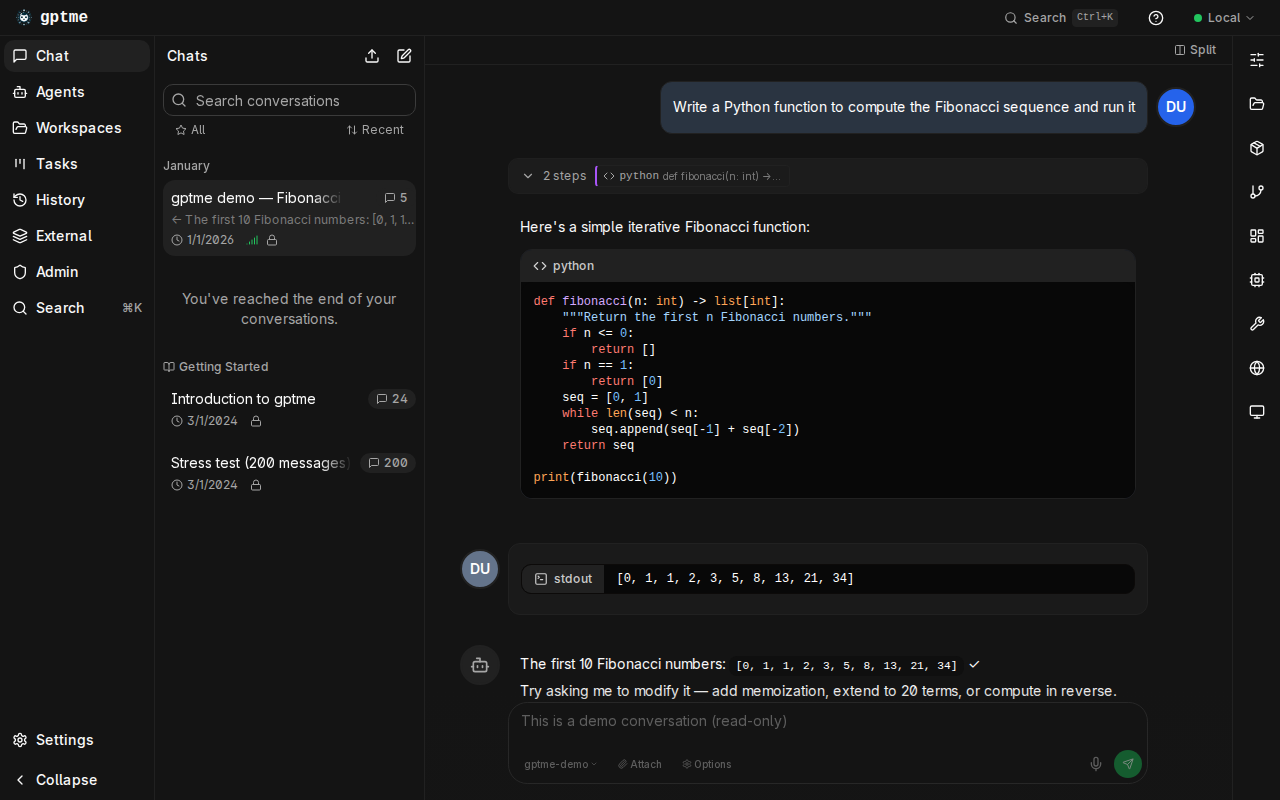
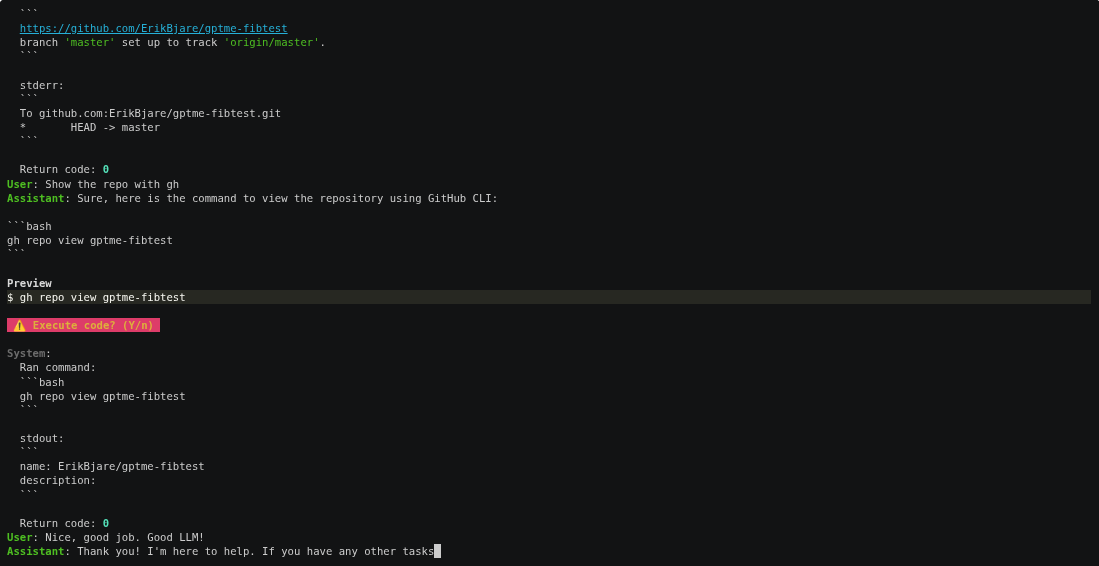
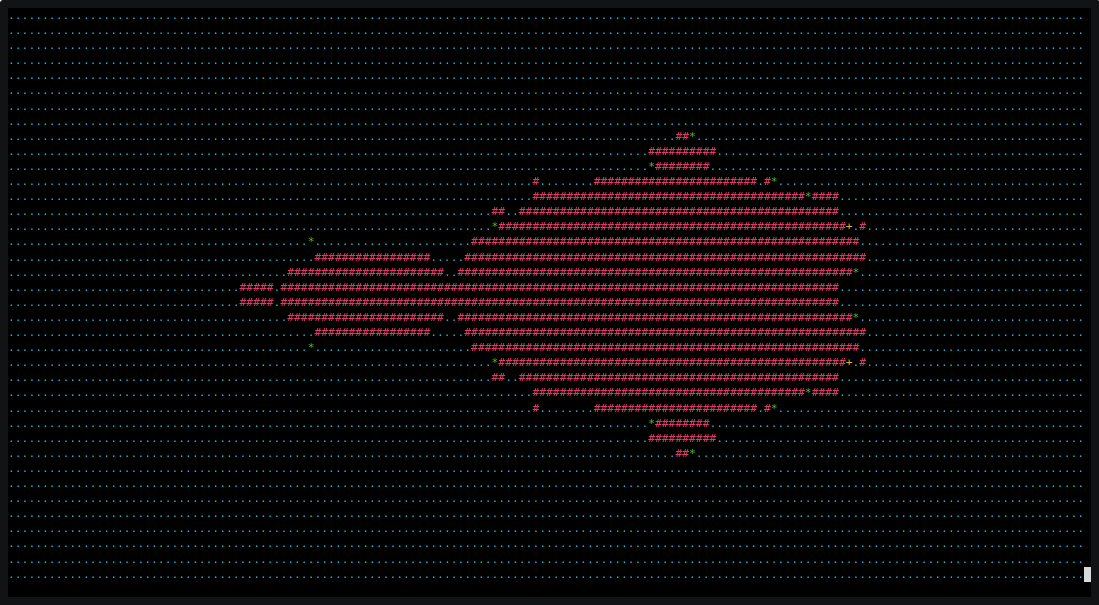
[!NOTE] The terminal recordings above are from 2023 and show the classic CLI. More recordings are kept in the Demo archive, and more up-to-date walkthroughs are in the Examples.
🌟 Features
- 💻 Code execution
- 🧩 Read, write, and change files
- Makes incremental changes with the patch tool.
- 🌐 Search and browse the web
- Can use a browser via Playwright with the browser tool.
- 👀 Vision
- Can see images referenced in prompts, screenshots of your desktop, and web pages.
- 🔄 Self-correcting
- Output is fed back to the assistant, allowing it to respond and self-correct.
- 📚 Lessons system
- Contextual guidance and best practices automatically included when relevant.
- Keyword, tool, and pattern-based matching.
- Adapts to interactive vs autonomous modes.
- Extend with your own lessons and skills.
- 🗃️ Cross-harness memory
- One local Markdown-based memory store shared by gptme, Claude Code, Codex, and any other harness.
gptme-util memoryCLI — save, recall, search, supersede, and audit entries from any terminal.- Claude Code hook and Codex AGENTS.md integration included.
- 🤖 Support for many LLM providers
- Anthropic (Claude), OpenAI (GPT), Google (Gemini), SpaceXAI (Grok), DeepSeek, and more.
- Use OpenRouter for access to 100+ models, or serve locally with Ollama, LM Studio, vLLM, or
llama.cpp. - Bring your own subscription: use your existing ChatGPT Plus/Pro or SuperGrok plan instead of API keys (see providers).
- Pick the right model per task — fast/cheap for triage, powerful for coding.
- 🌐 Web UI and REST API
- Modern gptme-webui bundled with
gptme-serverand hosted at chat.gptme.org. - Server with REST API.
- Standalone executable builds available with PyInstaller.
- Modern gptme-webui bundled with
- 💻 Computer use
- Give the assistant access to a full desktop, allowing it to interact with GUI applications.
- 🧠 Code intelligence
- Structural code understanding with gptme-codegraph: call graphs, symbol extraction, and impact analysis powered by Tree-sitter. 10 MCP tools for codebase navigation.
- 🔊 Tool sounds — pleasant notification sounds for different tool operations.
- Enable with
GPTME_TOOL_SOUNDS=true.
- Enable with
🛠 Tools
gptme equips the AI with a rich set of built-in tools:
| Tool | Description |
|---|---|
shell | Execute shell commands directly in your terminal |
ipython | Run Python code with access to your installed libraries |
read | Read files and directories |
save / append | Create or update files |
patch / morph | Make incremental edits to existing files |
browser | Search and navigate the web via Playwright |
vision | Process and analyze images |
screenshot | Capture screenshots of your desktop |
rag | Retrieve context from local files (needs the gptme-rag package) |
gh | Interact with GitHub via the GitHub CLI |
tmux | Run long-lived commands in persistent terminal sessions |
computer | Full desktop access for GUI interactions |
subagent | Spawn sub-agents for parallel or isolated tasks |
chats | Reference and search past conversations |
memory | Save and recall memory entries shared across harnesses |
lessons | Look up contextual guidance and skills |
todo | Keep a task list for the current conversation |
mcp | Discover and load MCP servers at runtime |
Use /tools during a conversation to see all available tools and their status.
🔌 Extensibility: Plugins, Skills & Lessons
gptme has a layered extensibility system that lets you tailor it to your workflow:
Plugins — extend gptme with custom tools, hooks, and commands via Python packages:
# gptme.toml
[plugins]
paths = ["~/.config/gptme/plugins", "./plugins"]
enabled = ["my_plugin"]
Skills — lightweight workflow bundles (Anthropic format) that auto-load when mentioned by name. Great for packaging reusable instructions and helper scripts without writing Python.
Lessons — contextual guidance that auto-injects into conversations based on keywords, tools, and patterns. Write your own to capture team best-practices or domain knowledge.
Hooks — run custom code at key lifecycle events (before/after tool calls, on conversation start, etc.) without a full plugin.
gptme-contrib — community-contributed plugins, packages, scripts, and lessons:
| Plugin / Package | Description |
|---|---|
| gptme-codegraph | Structural code retrieval with tree-sitter: 10 MCP tools for parse, call graph, blast/impact analysis |
| gptme-consortium | Multi-model consensus decision-making |
| gptme-imagen | Multi-provider image generation |
| gptme-lsp | Language Server Protocol integration |
| gptme-ace | ACE-inspired context optimization |
| gptme-gupp | Work state persistence across sessions |
🔗 Integrations: MCP & ACP
MCP (Model Context Protocol) — gptme works in both directions:
- MCP client: discover and load external MCP servers as gptme tools.
- MCP server: expose gptme's persistent shell, Python REPL, and file tools to Claude Desktop, Cursor, or any other MCP client.
pipx install gptme  # MCP support included by default

# Run gptme as an MCP server over stdio
gptme-mcp-server --tools shell,ipython,save,read
The server keeps shell and Python state across tool calls. See the MCP docs for a ready-to-paste Claude Desktop configuration and MCP client setup.
ACP (Agent Client Protocol) — use gptme as a coding agent directly from your editor:
pipx install 'gptme[acp]'
This makes gptme available as a drop-in coding agent in Zed and JetBrains IDEs. Your editor sends requests, gptme executes with its full toolset (shell, browser, files, etc.) and streams results back.
🤖 Autonomous Agents
gptme is designed to run not just interactively but as a persistent autonomous agent — an AI that runs continuously, remembers everything, and gets better over time. The gptme-agent-template provides a complete scaffold:
- Persistent workspace — git-tracked "brain" with journal, tasks, knowledge base, and lessons
- Run loops — scheduled (systemd/launchd) or event-driven autonomous operation
- Task management — structured task queue with YAML metadata and GTD-style workflows
- Meta-learning — lessons system captures behavioral patterns and improves over time
- Multi-agent coordination — file leases, message bus, and work claiming for concurrent agents
- External integrations — GitHub, email, Discord, Twitter, RSS, and more
# Create and run your own agent
gptme-agent create ~/ada --name Ada
cd ~/ada
gptme-agent install   # runs on a schedule
gptme-agent status    # check on it
Headless Agents with systemd
For quick setup of a gptme agent as a persistent systemd service on any Linux machine, use gptme service init:
# Generate a complete headless agent setup
gptme service init --name Ada --model anthropic/claude-haiku-4-5 --work-dir ~/ada

# Install and start on a daily timer
systemctl --user daemon-reload
systemctl --user enable --now Ada.timer

# Update the schedule (--force overwrites all generated files, including gptme.toml and startup script)
gptme service init --name Ada --work-dir ~/ada --timer-schedule hourly --force
This command scaffolds:
- systemd service unit — runs your agent in a user session
- Optional timer — schedule autonomous runs (hourly, daily, weekly, or on-demand)
- Startup script — runs one non-interactive gptme session per trigger and writes a durable journal entry
- Session prompt —
prompt.md, the instruction the agent executes on every run - Skeleton config —
gptme.tomlandAGENTS.mdready to customize
The scaffolded workspace is self-contained and runs as generated — edit prompt.md to say what the agent should do each run; all you need is gptme installed. Perfect for automation, monitoring, CI/CD orchestration, or running background agents on headless servers.
See Running agents autonomously for scheduling, monitoring, and guardrails.
Bob is the reference implementation — created in late 2024 and running autonomously since 2025, with 5,000+ merged pull requests to his name. Bob opens PRs, reviews code, fixes CI, manages his own task queue, maintains a growing set of behavioral lessons, posts on Twitter, responds on Discord, and writes blog posts.
Multiple specialized agents can run in parallel — e.g. Bob (engineering) and Alice (personal assistant & orchestration) — coordinating through shared infrastructure.
See the Autonomous Agents docs for the full guide.
🛡 Guardrails
Persistent agents need guardrails around the full loop, not just tool permissions:
- Input guardrails — structured task selectors in the agent workspace keep work focused and reduce thrashing on notifications or ambiguous work. Bob uses a CASCADE-style selector for this layer.
- Pre-action guardrails — lessons inject situational guidance before the agent acts.
- Output guardrails — hooks and pre-commit checks validate file changes before control returns to the user.
This stack is simple and composable: selectors improve work choice, lessons steer behavior, and checks verify the result. You can add evals on top later, but the baseline guardrail loop already exists.
🛠 Use Cases
- 🖥 Development: Write and run code faster with AI assistance.
- 🎯 Shell Expert: Get the right command using natural language (no more memorizing flags!).
- 📊 Data Analysis: Process and analyze data directly in your terminal.
- 🎓 Interactive Learning: Experiment with new technologies or codebases hands-on.
- 🤖 Agents & Tools: Build long-running autonomous agents for real work.
- 🔬 Research: Automate literature review, data collection, and analysis pipelines.
🛠 Developer Perks
- ⭐ One of the first agent CLIs created (Spring 2023) that is still in active development.
- 🧰 Easy to extend
- 🧪 Extensive test suite, run on every PR.
- 🧹 Clean codebase, checked and formatted with
ruffandmypy. - 🤖 GitHub Bot to request changes from comments! (see #16)
- Operates in this repo! (see #18 for example)
- Runs entirely in GitHub Actions.
- 📊 Evaluation suite for testing capabilities of different models.
- 📝 gptme.vim for easy integration with vim.
🚧 In Progress
- ☁️ gptme.ai — managed cloud service for running gptme agents (early access; still self-hostable by running
gptme-server+gptme-webuiyourself) - 🏆 Advanced evals for testing frontier capabilities
🚀 Getting Started
Prerequisites
- Python 3.10 or newer
- Credentials for at least one LLM provider:
- Fastest no-credit-card path: start
gptme, choose OpenRouter in the startup provider setup (browser OAuth), then rungptme "hello" -m openrouter/openrouter/free. On an existing setup, use/account setup openrouterinside a session. See Getting Started. - Subscriptions work too: sign in with your ChatGPT Plus/Pro or SuperGrok plan
via
gptme-auth openai-subscriptionorgptme-auth grok-subscription, no API key needed (see providers docs). - You can also set API keys manually for Anthropic
(
ANTHROPIC_API_KEY), OpenAI (OPENAI_API_KEY), OpenRouter (OPENROUTER_API_KEY), and other providers. - Local models need no key at all — run Ollama (or any OpenAI-compatible server)
and use
-m local/<model>, see providers docs.
- Fastest no-credit-card path: start
Installation
For full setup instructions, see the Getting Started guide.
# With pipx (recommended, requires Python 3.10+)
pipx install gptme

# With uv
uv tool install gptme

# With optional extras
pipx install 'gptme[browser]'  # Playwright for web browsing
pipx install 'gptme[all]'      # Everything

# Latest from git with all extras
uv tool install 'git+https://github.com/gptme/gptme.git[all]'
Quick Start
gptme
You'll be greeted with a prompt. Type your request and gptme will respond, using tools as needed.
Example Commands
# Create a particle effect visualization
gptme 'write an impressive and colorful particle effect using three.js to particles.html'

# Generate visual art
gptme 'render mandelbrot set to mandelbrot.png'

# Get configuration suggestions
gptme 'suggest improvements to my vimrc'

# Process media files
gptme 'convert to h265 and adjust the volume' video.mp4

# Code assistance from git diffs
git diff | gptme 'complete the TODOs in this diff'

# Fix failing tests
make test | gptme 'fix the failing tests'

# Auto-approve tool confirmations (user can still watch and interrupt)
gptme -y 'run the test suite and fix any failing tests'

# Fully non-interactive: no prompts and no confirmations, for scripts/CI
# (every tool call runs unreviewed — scope its workspace and credentials accordingly)
gptme -n 'run the test suite and fix any failing tests'

# Machine-readable automation output (JSONL on stdout)
gptme --non-interactive --output-format json 'summarize the current git diff'
For more, see the Getting Started guide and the Examples in the documentation.
⚙️ Configuration
Create ~/.config/gptme/config.toml:
[user]
name = "User"
about = "I am a curious human programmer."
response_preference = "Don't explain basic concepts"

[prompt]
# Additional files to always include as context
# files = ["~/notes/llm-tips.md"]

[env]
# Set your default model
# MODEL = "anthropic/claude-sonnet-4-6"
# MODEL = "openai/gpt-5.6-sol"
For all options, see the configuration docs.
🛠 Usage
gptme                                   # start an interactive chat
gptme 'fix the failing tests'           # start with a prompt
gptme 'review this' main.py README.md   # include files (or URLs, or a GitHub PR) as context
gptme -m anthropic/claude-sonnet-4-6    # pick a model for this session
gptme -t read-only 'summarize the repo' # restrict which tools are available
gptme -y 'run the tests and fix them'   # auto-approve tool calls, stay in the loop
gptme -n 'summarize the git diff'       # fully non-interactive, for scripts and CI
gptme -r                                # resume the most recent conversation
During a conversation, /help lists the slash-commands — /undo, /backtrack,
/tools, /tokens, /compact, /model, and more. gptme --help shows every
flag, and gptme <subcommand> reaches the other CLIs (gptme tools list,
gptme chats search, gptme skills list).
Full reference: CLI docs · commands · usage guide · automation
🌍 Ecosystem
gptme is more than a CLI — it's a platform with a growing ecosystem:
| Project | Description |
|---|---|
| Web UI | Modern React web interface, available at chat.gptme.org |
| gptme-contrib | Community plugins, packages, scripts, and lessons |
| gptme-codegraph | Structural code retrieval with tree-sitter (10 MCP tools for code graph analysis) |
| gptme-agent-template | Template for building persistent autonomous agents |
| gptme-provider-template | Template for building custom LLM provider plugins |
| gptme-rag | RAG integration for semantic search over local files |
| gptme.vim | Vim plugin for in-editor gptme integration |
| Desktop app | Native app for Linux, macOS, Windows, and Android, built from this repo |
| gptme.ai | Managed cloud service (early access) |
Community agents powered by gptme:
- Bob — autonomous AI agent, created late 2024 and running autonomously since 2025, contributes to open source and manages his own tasks
- Alice — personal assistant & agent orchestrator, forked from the same architecture
🏷️ Repository Badge
This repo is maintained with gptme. To show your repo is AI-assisted with gptme, add the badge below.
[](https://gptme.org)
💬 Community
- Discord — ask questions, share what you've built, discuss features
- GitHub Discussions — longer-form conversation and ideas
- X/Twitter — updates and announcements
Contributions welcome! See the contributing guide.
📊 Stats
⭐ Stargazers over time
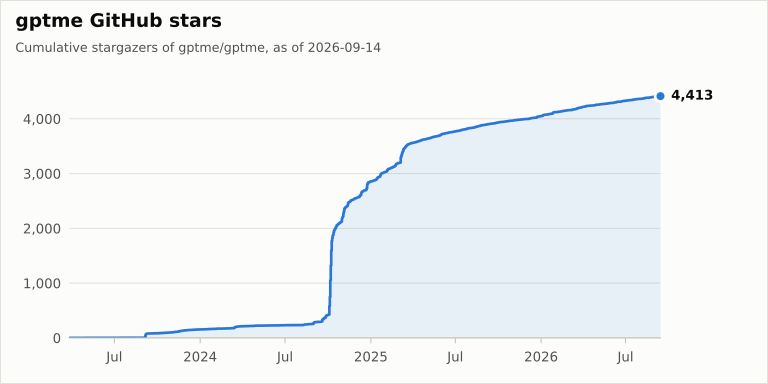
Community and usage numbers (stars, downloads, contributors) are collected daily in gptme/stats.
📈 Download Stats
📝 Citation
If you use gptme in your research, please cite it. The citation metadata lives in
CITATION.cff (GitHub's "Cite this repository" button uses it).
@software{gptme,
  author  = {Bjäreholt, Erik},
  title   = {gptme},
  year    = {2023},
  url     = {https://github.com/gptme/gptme}
}
If you publish work that uses gptme, we'd love to hear about it on Discord.
🔗 Links
❓ FAQ
Short answers with pointers into the documentation — the docs are the source of truth, this section just gets you to the right page.
What is gptme?
gptme is a personal AI agent that runs anywhere a terminal runs — your laptop, SSH sessions, tmux, headless servers, CI pipelines. It's provider-agnostic, local-first, and unconstrained: ships with shell, Python, web, vision, and everything else an agent needs. Pronounced /ʤiː piː tiː miː/ like "GPT-ME".
See Features for the full picture.
How does gptme compare to other AI coding assistants?
gptme is open source and model-agnostic, runs in any terminal, and is built for persistent autonomous agents whose memory lives in a git repo you own — not just interactive pair programming.
It's compared two ways: against coding agents (Claude Code, Codex, Cursor, Cline, Aider, OpenHands) and against persistent personal agents (OpenClaw, Hermes Agent, Grok Bot, Devin). See Alternatives for the maintained tables.
How do I install it?
curl -sSf https://gptme.ai/install.sh | sh # auto-detects uv or pipx
Or install directly with pipx install gptme / uv tool install gptme (Python 3.10+).
See Installation above, the Getting Started guide,
and System dependencies for the extras individual tools need.
Do I need an API key?
No — you can also use a subscription you already pay for, or run a local model:
- Subscription:
gptme-auth openai-subscription(ChatGPT Plus/Pro) orgptme-auth grok-subscription(SuperGrok), then e.g.gptme -m openai-subscription/<model>. - Browser sign-in: pick OpenRouter in the startup setup (or
/account setup openrouter). - API keys:
ANTHROPIC_API_KEY,OPENAI_API_KEY,OPENROUTER_API_KEY,GEMINI_API_KEY,XAI_API_KEY,DEEPSEEK_API_KEY,GROQ_API_KEY,MOONSHOT_API_KEY, and more. - Local models: no credentials at all, see below.
If setup is missing or broken, run gptme-doctor --fix. Full provider list, model
prefixes, and setup details: Providers.
Can I run it fully locally?
Yes, against any OpenAI-compatible server (Ollama, LM Studio, vLLM, llama.cpp):
ollama pull llama3.2:3b && ollama serve
OPENAI_BASE_URL="http://127.0.0.1:11434/v1" gptme 'hello' -m local/llama3.2:3b
Put OPENAI_BASE_URL under [env] in ~/.config/gptme/config.toml to make it stick,
or define a named provider entry. Note that small local models are significantly less
capable at tool use. See Local & custom providers.
What tools does it have?
Shell, Python, file read/save/patch, browser, vision, computer use, tmux, subagents,
MCP, and more — run /tools in a conversation to see what's active in your setup.
See Tools for the full list and per-tool docs.
Does it support MCP?
Both directions: gptme consumes external MCP servers as tools, and gptme-mcp-server
exposes gptme's session-backed shell, Python, and file tools to Claude Desktop, Cursor,
and other MCP clients. See MCP. For editor integration (Zed, JetBrains),
gptme also speaks ACP.
How do I teach it my conventions and make it remember?
- Lessons — guidance auto-included when keywords, patterns, or tools match.
- Skills — portable knowledge bundles in the Agent Skills format, loaded by name.
- Memory — cross-harness memory entries shared with Claude Code and Codex.
- Plugins and hooks — custom tools, commands, and lifecycle code.
How do I create an autonomous agent?
gptme-agent create ~/ada --name Ada   # workspace from the agent template
gptme-agent install                            # run on a schedule (systemd/launchd)
The workspace is the agent: identity, journal, tasks, and lessons live in a git repo you own. See Agents for the full workflow and guardrails, and Bob for an agent that has been running autonomously since 2025.
How do I use gptme in scripts and CI?
Use -n/--non-interactive, which skips confirmations and exits when done:
git diff | gptme -n 'review this diff for bugs'
gptme -n --output-format json 'summarize the failing tests'   # JSONL on stdout
See Automation for GitHub Actions, cron, and systemd recipes,
or the GitHub bot for a ready-made @gptme PR/issue bot.
How do I configure it?
Configuration lives in ~/.config/gptme/config.toml (global), gptme.toml (per project),
and per-conversation settings; environment variables and CLI flags override them.
Set your default model with MODEL under [env], keep API keys in config.local.toml,
and use -v for verbose logging. See Configuration.
Where can I find more resources?
- Website: gptme.org
- Documentation: docs.gptme.org
- Examples: Examples
- Downloads: Downloads
- Discord: Discord Community
- Twitter: @gptmeorg
Happy Agent Building! 🤖
Collected info
- ★ 4,420 stars
- ⎇ 432 forks
- Language: Python
- Source updated: 9/20/2026