
aictx
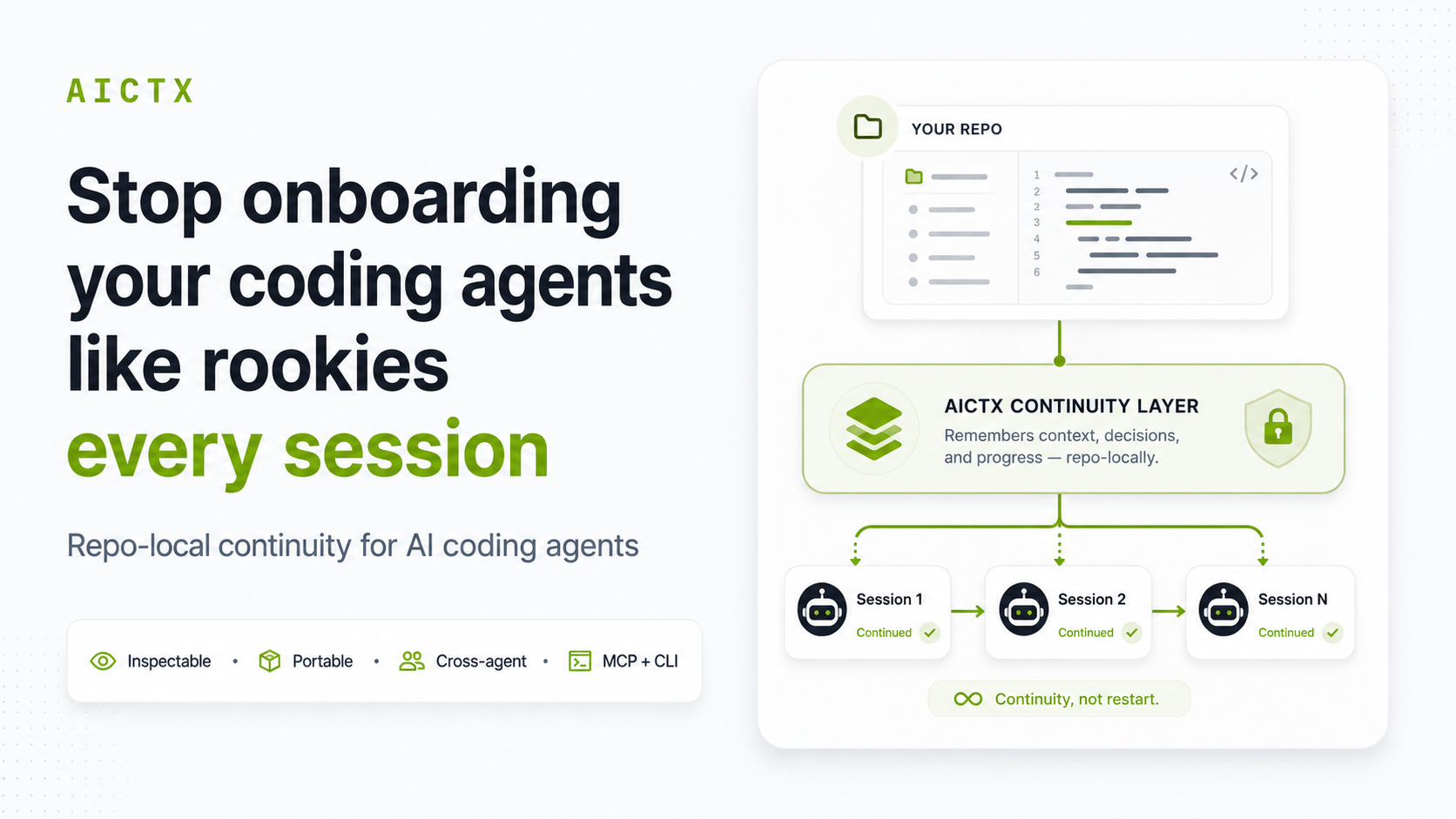
Repo-local continuity runtime for AI coding agents. Helps them continue from the same inspectable work state instead of starting cold. Stop onboarding your coding agents like rookies every session.
Links
README
From the repo.
AICTX



Stop onboarding your coding agents from scratch every session.
AICTX is a lightweight repo-local continuity runtime for Codex, Claude Code, GitHub Copilot, and other coding agents. It gives each new session the useful facts from the repository — what happened, what failed, what changed, what was decided, and what should happen next — without turning AICTX into an agent framework, task manager, vector database, or cloud memory product.
pip install aictx
aictx install
aictx init
After that, keep working normally. Compatible agents run the lifecycle themselves:
resume -> work -> finalize -> next session resumes
Quickstart · What AICTX writes · Continuity View · Website
Why AICTX exists
Coding agents are strong, but new sessions still start cold:
- they rescan the same files and docs;
- they rediscover decisions already made;
- they repeat failed commands and stale assumptions;
- useful context gets trapped in one vendor's chat history.
AICTX turns that fragile chat-local memory into repo-local operational continuity. The next agent starts with a compact brief instead of guessing from scratch.
The product loop
The user path is intentionally small:
aictx install
aictx init
then let the coding agent work
The agent path is equally small:
aictx resume --repo . --task "fix the parser bug" --json
# agent edits, tests, debugs, and reviews normally
aictx finalize --repo . --status success --summary "Fixed parser recovery and ran focused parser tests" --json
A later session resumes from local repository state instead of hidden chat history.
You: fix the parser bug
Agent: resumes repo-local continuity
Agent: works normally
Agent: finalizes factual evidence for the next session
What the next agent gets
AICTX records operational facts that make the next session useful faster:
| Continuity | Why it helps |
|---|---|
| Active work | Current task, files, risks, and next action. |
| Handoffs | What the previous session actually left behind. |
| Decisions | Project facts the next agent should not re-litigate. |
| Failures | Known broken commands, errors, and resolved patterns. |
| Validation evidence | Commands, tests, files opened/edited, and final summary. |
| Quality signals | Fresh, stale, missing, obsolete, or unverified context warnings. |
Everything is local and inspectable. The default runtime writes under .aictx/ and generated agent-instruction files; no account, daemon, dashboard, or cloud sync service is required.
See it working
Generate an inspectable continuity report at any time:
aictx view --repo .
Default output:
.aictx/reports/continuity-view.md
.aictx/reports/continuity-map.mmd
Check health and repair guidance:
aictx doctor --repo . --json
AICTX is not hidden memory. It is reviewable repo-local continuity with explicit quality signals.
Why it feels different
- Local-first: continuity belongs to the repository, not a private chat thread.
- Agent-neutral: Codex can leave context that Claude Code, Copilot, or another compatible agent can resume.
- Tiny default path: install, init, then work; manual resume/finalize commands are mostly for inspection and unsupported runners.
- Evidence-oriented: AICTX records what was observed, validated, skipped, or left unfinished.
- Honest by design: stale context is marked stale; missing validation stays visible; AICTX never claims automatic correctness.
Supported agents
AICTX is runner-aware, not runner-locked.
- Codex:
AGENTS.md, optional global Codex setup, CLI/MCP lifecycle guidance. - Claude Code:
CLAUDE.md, Claude settings/hooks, CLI/MCP lifecycle guidance. - GitHub Copilot: repository instructions and optional prompt files where supported.
- Generic agents: any runner that can read instructions and call CLI or MCP tools.
Compatible agents prefer AICTX MCP tools when available and fall back to the CLI:
aictx_resume / aictx_finalize
# or
aictx resume --repo . --task "<goal>" --json
aictx finalize --repo . --status success|failure --summary "<what happened>" --json
What AICTX is not
AICTX is not an autonomous coding agent, RAG system, vector database, task manager, dashboard, cloud memory service, replacement for tests/review, or guarantee of correctness, productivity gains, or token savings.
It is a lightweight continuity runtime that helps cooperating coding agents start from useful repository state.
Documentation
Start here:
Core concepts:
- Technical overview
- Work State
- Handoffs and Decisions
- Failure Memory
- Execution Summary
- Execution Contracts
Advanced:
Legacy/internal compatibility surfaces are intentionally kept out of the first-run path; see Usage for the split between supported advanced commands and compatibility-only commands.
For the full command reference, see Usage.
Project links
- Website: https://aictx.org
- PyPI: https://pypi.org/project/aictx/
- CLI:
aictx - Official identity: docs/OFFICIAL_PROJECT.md
Collected info
- ★ 57 stars
- ⎇ 6 forks
- Language: Python
- Source updated: 7/25/2026
Config for your environment
Replace {MCP_ENDPOINT_URL} with this MCP’s endpoint URL (from its repo or docs above). No API key — you connect directly.
Tool
OS
Config file: ~/.cursor/mcp.json
{
  "mcpServers": {
    "mcp-server": {
      "url": "{MCP_ENDPOINT_URL}"
    }
  }
}Paste into mcpServers in the config file. Restart Cursor after saving.
If this MCP is also published on mcpchannel.ai, you can subscribe from Browse and use the gateway config there instead.